Monefy vs Simplifi by Quicken
Side-by-side comparison — pricing, features, ratings, use cases. Find which Budgeting Apps fits you best.

💰 Pricing
- Monefy Pro is a one-time payment of approximately $3.99 USD on iOS and Android; no recurring subscription.
- Premium Family Pack is a one-time purchase of approximately $5.99 USD for up to 6 users.
- Bank sync is not offered; all transactions are entered manually, so no bank fees apply.
- One-time purchase price may vary by region and app store due to taxes.
- Free tier contains ads; there is no cost to upgrade but in-app purchase prices may differ in local currency.
- No automatic bank sync—if you expect it, you will need a separate third-party tool.
🔧 Features
📋 Assessment
💪 Strengths
- One-tap speed: The interface is designed for velocity. A large tap area on the main screen lets you log an expense in under three seconds, making it a near-instant habit. This is a critical feature for daily logging consistency, which most budgeting apps struggle with.
- Clean, ad-free design: The free version has no ads, which is rare for a freemium app. The minimalist, uncluttered interface keeps your focus on the numbers and the pie chart, not on banners. This makes using the app pleasant, which encourages you to keep using it.
- One-time Pro purchase: Instead of a monthly or yearly subscription, Pro costs a one-time $3.99. This is a huge selling point for users who are tired of paying $5–$10 per month for similar trackers. It's a small, transparent price for lifetime access to features like cloud sync, multiple accounts, and CSV export.
- Multi-currency support: You can add expenses in different currencies and view a converted total in your base currency. This is particularly handy for travelers who need to track spending across borders without manual conversion. The app uses current exchange rates to consolidate everything.
- Offline-first and private: Monefy works entirely offline by default. Your data stays on your device unless you enable Google Drive sync (Pro). This gives users complete privacy — no server-side tracking or data mining, which is increasingly rare in financial apps.
⚠ Watch out for
- No recurring transactions: You cannot set up monthly bills or subscriptions, so every recurring expense (rent, Netflix, utilities) must be manually entered each time. This is a major time drain for users with fixed bills, and it undermines the convenience the app otherwise offers.
- No budgeting or spending limits: Monefy only tracks and categorizes expenses — it does not let you set monthly caps or alerts. If you need to control spending, you'll have to export data and analyze it elsewhere. This limits the app's usefulness as a proactive budgeting tool.
- Manual-only entry — no bank sync: Unlike Mint or YNAB, which automatically pull transactions, Monefy requires manual input for all entries. For some users, this can lead to missed transactions and incomplete data, especially if you pay with cards, which are easy to forget to log.
- Limited account and category features in free version: The free version allows only one account and a base set of categories. To add more accounts (like separate credit cards) or custom categories, you must pay for Pro. This can feel restrictive for power users, though the Pro price is low.
- No multi-device sync in free version: If you install Monefy on both your phone and tablet, your data will not sync unless you purchase Pro and enable Google Drive sync. This is a limitation for users who expect free sync across devices.
🎯 Best for
Individuals who want a no-frills, fast, and visual expense tracker on their phone without subscription fees.
🚫 Who should skip
Anyone who needs real budgeting tools, bank syncing, recurring bills, or detailed financial reports.
📚 Learning curve
Minimal — you can start logging expenses immediately; the UI is intuitive and requires no setup.
🧑⚖️ Verdict
Buy Monefy if you value speed and simplicity and are willing to log transactions manually — it's a fantastic, low-cost companion for daily expense tracking and travel. If you need automatic bank syncing, recurring bill tracking, or in-app budgeting limits, look elsewhere. Bottom line: The fastest an
💰 Pricing
- Annual plan: $47.88/year (effectively $3.99/month), billed upfront.
- Monthly plan: $5.99/month.
- No additional fees for bank synchronization or transaction import.
- 30-day free trial with no credit card required.
- Automatic renewal at full annual rate after trial period ends.
- Price may increase with prior notice; no price lock for existing subscribers.
🔧 Features
📋 Assessment
💪 Strengths
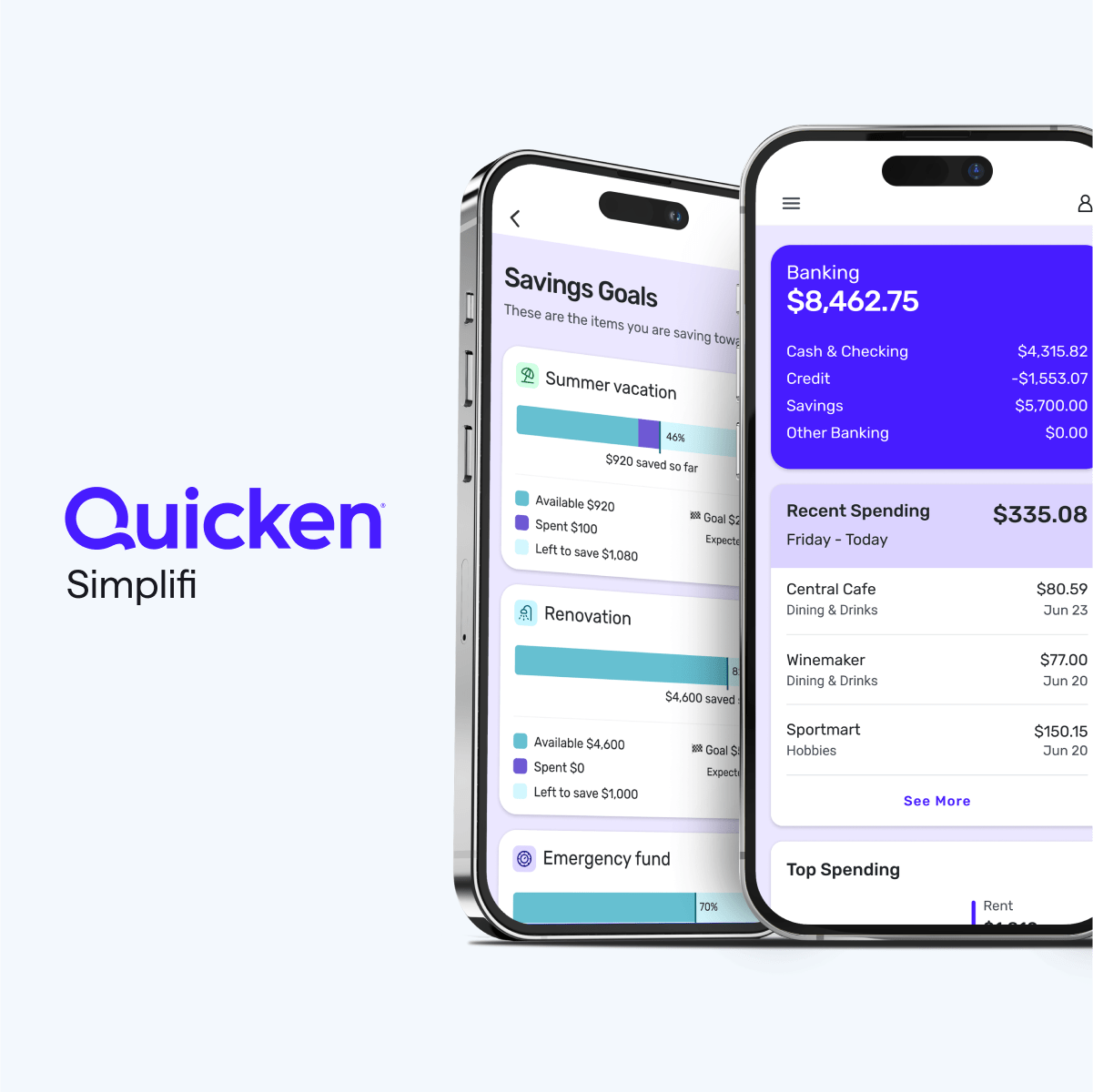
- The interface is wonderfully clean and uncluttered. Unlike classic Quicken, which can feel like a spreadsheet, Simplifi uses cards and simple lists to show you your financial picture. For example, the 'Spending Plan' shows your income minus planned bills and spending, and updates in real time as transactions come in. This makes it perfect for people who find traditional budgeting overwhelming.
- The cash flow forecast is a killer feature. It takes your upcoming bills, income, and spending habits to project your account balance day-by-day. You can see if you'll be at risk of overdrawing in two weeks or if you'll have extra cash for a splurge. This proactive insight is something few competitors offer at this price point.
- The 'Watchlist' feature lets you tag specific merchants or spending categories (like 'Starbucks' or 'Dining Out') and see how much you're spending on them each month. It's a great way to keep an eye on problematic spending without having to build a complex budget.
- Subscription monitoring is built in. Simplifi identifies recurring subscriptions (like Netflix, gym memberships, etc.) and lists them in one place. It even flags price increases or duplicate charges, which is a practical way to trim monthly expenses.
- Bank sync is generally reliable, with support for thousands of financial institutions. It also allows manual account additions, so you can track cash or accounts that don't link. The 'Pending' transaction handling is smooth, and it lets you easily split transactions (like a grocery store shopping trip that includes household items and personal items).
⚠ Watch out for
- Investment tracking is basic. You see holdings and market values, but there's no capital gains calculator, no tax-loss harvesting tool, and no in-depth performance analysis. For example, you can't see your asset allocation across accounts or drill into a specific lot's cost basis. If you're an active investor, you'll need another tool.
- No true multi-user support. The only way for couples to share is to log in with the same credentials. This is not user-friendly and can lead to sync issues if both partners are entering transactions simultaneously. You also can't set up separate roles with different permissions.
- International support is weak. The app focuses on US financial institutions and USD. If you have a foreign bank account or deal with multiple currencies, you'll be disappointed. The sync may fail, and you'll have to manually update transactions.
- The Spending Plan can be too flexible for some. Unlike envelope budgeting, it doesn't enforce hard limits. If you constantly overspend in a category, it just adjusts your plan without much friction. This is great for some, but for people who need discipline, it might not be restrictive enough.
- Customer support is average. You get email and chat support, but there's no phone line. Response times can be slow during peak seasons, and the knowledge base is thin on troubleshooting. Some users have reported that support staff lack deep technical knowledge.
🎯 Best for
Individuals or couples who want a low-effort, flexible way to track spending, monitor cash flow, and see simple investment balances without overcomplicating budgeting.
🚫 Who should skip
Investors who need portfolio-level analytics or people who prefer a hard zero-sum budgeting method like YNAB might find Simplifi too shallow.
📚 Learning curve
Minimal — most users can link accounts and set up a Spending Plan in under 30 minutes.
🧑⚖️ Verdict
Simplifi is a strong choice for budgeting beginners and those who want a simple, intuitive way to track spending and project cash flow. It's not ideal for advanced investors or couples needing true multi-user access. Bottom line: If you want a modern, flexible budgeting app with great cash flow fore
📊 Use Case Suitability
Higher score = better fit. Scores from editorial review.
🧭 Which One Should You Pick?
Choose Monefy if...
- You are: Individuals who want a no-frills, fast, and visual expense tracker on their phone without subscription fees.
- 👍 Extremely fast one-tap expense entry that lets you log transactions in under three seconds.
- 👍 Clean, minimal interface with no ads in the free version — rare for a free budgeting app.
- 👍 One-time purchase for Pro, not a subscription, making the full upgrade a single small payment.
- 💰 From $3.99/mo
- ⚠ Trade-off: No recurring transaction support — you'll have to manually enter repeat bills ev
Choose Simplifi by Quicken if...
- You are: Individuals or couples who want a low-effort, flexible way to track spending, monitor cash flow, and see simple investme
- 👍 Simple and intuitive user interface that is far less cluttered than classic Quicken, making it easy
- 👍 Spending Plan is flexible and forgiving—it doesn't lock you into strict envelope budgets; it adjusts
- 👍 Cash flow projection is a standout feature, showing your expected account balance at any future date
- 💰 From $3.99/mo
- ⚠ Trade-off: Limited investment tools—no in-depth tax planning, cost basis analysis, or advan
❓ Frequently Asked Questions
Is Monefy really free?
Yes, Monefy has a free version with core features like expense tracking and pie charts. To unlock sync, multiple accounts, and other extras, you can buy a one-time Pro upgrade.
Does Monefy require a subscription?
No. Monefy uses a one-time purchase for premium features, not a subscription. This is a major advantage for budget-conscious users.
Can I sync my data across devices?
The free version stores data locally on your device. To sync across Android/iOS or to the cloud, you need the Pro version, which comes with a one-time fee.
Does Monefy support multiple currencies?
Yes, Monefy supports multi-currency. You can set a base currency and add expenses in other currencies, which are converted using a rate you can edit.
🔗 More Budgeting Apps Comparisons
🔀 Explore Alternatives
📧 Save this comparison
We'll email you a link to this comparison. No spam.