AIVector vs Gendo
Side-by-side comparison — pricing, features, ratings, use cases. Find which Ai Design fits you best.
💰 Pricing
🔧 Features
📋 Assessment
💪 Strengths
- The free tier offers 10 images per day, which is generous compared to many competitors that provide only limited trials. This allows potential buyers to thoroughly test the platform's generation quality and editing tools before committing to a paid plan. For hobbyists or low-volume users, this free allowance might even suffice, making it a cost-effective option for occasional creative projects.
- API access is available on all paid plans, which is a significant advantage for developers and businesses looking to integrate AI-generated visuals into their own applications, websites, or automated workflows. This feature is often reserved for higher-tier enterprise plans in other tools, so AI Vector's inclusion at the base $20/mo level is a notable selling point for technical users.
- In addition to text-to-image generation, AI Vector includes practical editing features like background removal, style transfer, and upscaling. These tools are directly integrated into the platform, meaning users can refine generated images in the same environment. This streamlines the workflow, saving time and reducing the need for separate editing software.
- The platform is web-based, requiring no installation, and works across different operating systems. This makes it accessible from any device with a browser, which is convenient for users who switch between workstations or need to access their projects remotely. The interface is intuitive, making it easy for beginners to start generating images without a steep learning curve.
- AI Vector supports multiple style presets, enabling users to create visuals in consistent brand aesthetics—such as cyberpunk, watercolor, or 3D render. This is particularly useful for marketers who need to maintain a cohesive look across social media posts or ad creatives, as it reduces the time spent on manual style adjustments.
⚠ Watch out for
- The daily image limits (10/100/500) are strict and can be a deal-breaker for heavy users or those running automated workflows. Once the daily quota is exhausted, users must wait until the next day to generate more images, which can stall projects that require mass image production, such as e-commerce catalogs or large-scale marketing campaigns. Users needing unlimited or on-demand generation may find this restrictive and should consider alternatives like Stable Diffusion with local GPU access.
- AI Vector lacks a native mobile app, which is a significant drawback for professionals who need to generate or edit images on the go. While the web interface is mobile-responsive, it doesn't offer the same performance or offline capabilities as a dedicated app. This limits flexibility for remote workers or those who frequently work from mobile devices.
- There are no team collaboration features, shared workspaces, or user management controls. This makes the platform unsuitable for design teams or agencies that need to collaborate on projects, share assets, and manage permissions. Solo users won't miss these, but for any multi-person workflow, the lack of collaboration tools is a major limitation.
- The image generation quality may not match the output of top-tier competitors like Midjourney or DALL·E 3, particularly for complex or highly detailed prompts. While the editing features add value, the underlying model appears to be less sophisticated, resulting in occasional artifacts or less creative compositions. This could be a deciding factor for users whose primary requirement is top-tier image quality.
- Customer support is limited to a knowledge base and email ticketing, with no live chat or phone support. Response times can vary, and there is no service-level agreement (SLA) even for paid plans. For businesses that rely on the platform for time-sensitive projects, the lack of immediate support could be a risk.
🎯 Best for
Individual designers, marketers, and content creators who need a simple AI image generator with editing capabilities and API integration for low-to-moderate volume use.
🚫 Who should skip
Teams requiring collaboration tools, high-volume users needing unlimited generations, or anyone needing a mobile app or advanced workflow automation.
📚 Learning curve
Minimal – the platform is intuitive with prompt-based generation and straightforward editing controls, suitable for beginners and non-designers.
🧑⚖️ Verdict
AI Vector is a solid choice for individual designers, marketers, and content creators who need a simple, affordable tool for AI image generation and basic editing, with the bonus of API access. However, teams requiring collaboration tools or users needing high-volume image production should look els
💰 Pricing
🔧 Features
📋 Assessment
💪 Strengths
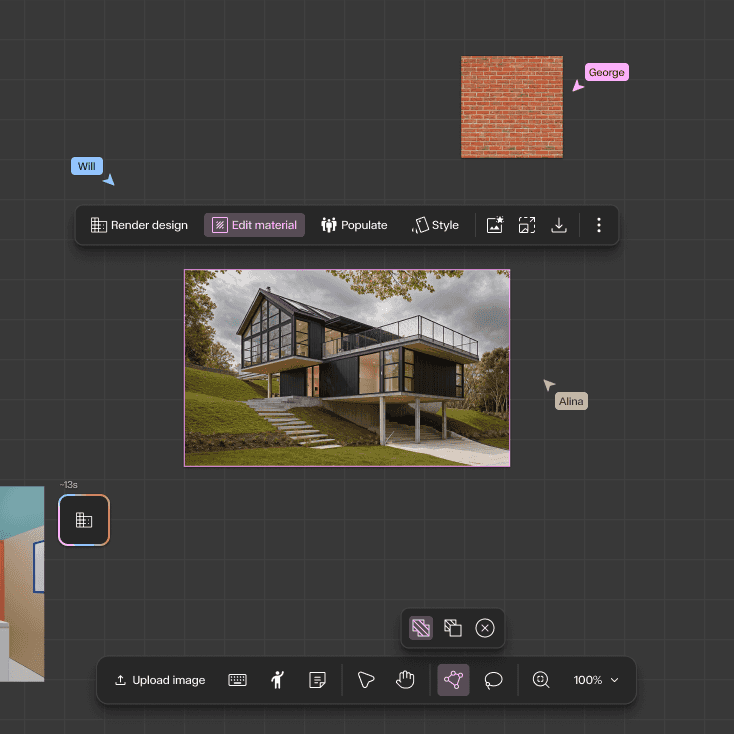
- Rapid design iteration: Gendo excels at generating multiple design variants almost instantly. Users can input a text prompt like 'modern office building with glass facade' and receive several distinct options. This accelerates the ideation phase dramatically, allowing architects to explore a wider range of concepts in a single sitting. For client presentations, this means showing diverse possibilities without spending days on manual modeling.
- Seamless export to standard tools: The ability to export generated designs to Revit, SketchUp, and Rhino formats is a game-changer for workflow integration. Instead of using AI as a standalone novelty, Gendo fits into existing architectural pipelines, allowing designers to take a generated concept and continue detailing it in their preferred software. This practical integration sets it apart from many AI image generators that output only flat images.
- Team collaboration on Professional plan: The Professional plan enables multiple users to work on the same project concurrently. This is crucial for architecture teams where several designers might need to input ideas or refine designs simultaneously. It encourages a collaborative brainstorming environment and ensures that all team members have access to the latest iterations, improving overall project coherence.
- Style transfer for existing models: Gendo's style transfer feature lets users apply different architectural styles to their existing 3D models. For example, a simple massing model can be transformed into a parametric, futuristic, or traditional design. This is a powerful tool for exploring aesthetic directions without remodeling from scratch, saving significant time during the design development phase.
- Web-based platform with no hardware demands: Since Gendo runs entirely in the cloud, users don't need a high-end GPU or specific operating system. This lowers the barrier to entry for small firms or independent architects who may not have access to powerful workstations. The accessibility means that anyone with an internet connection can start designing, making it a practical tool for freelance professionals.
⚠ Watch out for
- Starter plan limits projects to 5: For active professionals, having only 5 projects in the Starter plan is highly restrictive. Once those are filled, you cannot create new projects without deleting old ones, which is a major inconvenience. This forces users to either upgrade to a pricier plan or constantly manage their project queue, disrupting workflow. At $50/month, you'd expect more flexibility.
- No free tier or trial: There's no free trial or freemium version, which is a significant hurdle for potential adopters. In a market where many SaaS tools offer at least a 14-day free trial, Gendo's requirement for an upfront paid commitment is a tough sell. This is especially problematic for architects who are cautious about adopting new software and need to test its output quality before investing.
- Lacks API for automation and integration: The absence of an API is a major drawback for tech-savvy firms that rely on custom pipelines. Without an API, users cannot automate design generation, integrate Gendo into their existing project management tools, or build custom workflows. This limits its utility for larger organizations that value interoperability and automation.
- Output quality can be inconsistent: While Gendo generates impressive results, the output can sometimes be abstract or require significant post-editing to be practical. For instance, floor plans may lack precise dimensions and structural details, requiring manual corrections. This can be frustrating for users who need more reliable, accurate outputs, especially for preliminary design documentation.
- Limited control over detailed parameters: Users have limited control over specific design parameters such as exact dimensions, zoning constraints, or site conditions. The tool relies heavily on prompt engineering, which may not always capture nuanced requirements. This lack of fine-grained control could be a deal-breaker for architects who need to adhere to strict building codes or client specifications.
🎯 Best for
Architecture firms and individual designers who need fast, AI-driven concept generation and iteration for residential or commercial building projects.
🚫 Who should skip
Users who require extensive integrations, custom automation, or a free trial; also those needing on-the-go access via mobile devices.
📚 Learning curve
Moderate – using the AI effectively requires some experimentation with prompts and adjusting outputs, but the interface is straightforward.
🧑⚖️ Verdict
Gendo is a valuable tool for architects and designers seeking rapid conceptual exploration and iteration. Its integration with standard software and collaborative features make it a strong contender for firms embracing AI. However, the limited project count and lack of free trial or API may deter so
📊 Use Case Suitability
Higher score = better fit. Scores from editorial review.
🧭 Which One Should You Pick?
Choose AIVector if...
- You are: Individual designers, marketers, and content creators who need a simple AI image generator with editing capabilities and
- 👍 Offers a free tier with 10 images per day, allowing users to test the platform without upfront cost.
- 👍 Provides API access across all pricing plans, enabling integration into custom workflows and applica
- 👍 Includes practical editing features like background removal, style transfer, and upscaling in additi
- 💰 From $20/mo
- ⚠ Trade-off: Strict daily image limits (10/100/500) can be restrictive for high-volume users
Choose Gendo if...
- You are: Architecture firms and individual designers who need fast, AI-driven concept generation and iteration for residential or
- 👍 Generates multiple design variants quickly, accelerating the ideation phase.
- 👍 Export formats allow easy integration into standard architectural workflows.
- 👍 Team collaboration in the Professional plan enables concurrent work on projects.
- 💰 From $50/mo
- ⚠ Trade-off: Starter plan is limited to only 5 projects, which may be restrictive for active
❓ Frequently Asked Questions
What are the daily image generation limits?
The Free tier allows 10 images per day, Pro allows 100, and Business allows 500. Upgrading your plan increases the daily cap.
Does AIVector offer an API for developers?
Yes, all pricing tiers include API access, making it suitable for integrating AI image generation into your own applications or workflows.
Can I use AIVector on mobile devices?
No, AIVector does not have a mobile app. The platform is only accessible via a web browser on desktop or mobile browsers.
What editing features are available besides text-to-image generation?
AIVector supports background removal, style transfer, and upscaling, which are ideal for refining and enhancing generated images.
🔗 More Ai Design Comparisons
🔀 Explore Alternatives
📧 Save this comparison
We'll email you a link to this comparison. No spam.