Brightcall.AI - AI Agent vs Leadchee
Side-by-side comparison — pricing, features, ratings, use cases. Find which Ai Sales fits you best.

💰 Pricing
🔧 Features
📋 Assessment
💪 Strengths
- The automation of both inbound and outbound calls is its standout feature. The AI agent uses natural language understanding to handle conversations that would otherwise require a human agent, such as qualifying leads from a list of numbers, answering product questions, and booking appointments. For outbound campaigns, it can work through call lists, leaving voicemails or getting live answers, while inbound calls are screened and routed appropriately. This dual capability is a significant time-saver, especially for sales teams that are stretched thin.
- Seamless integration with popular CRMs like Salesforce and HubSpot, plus a REST API for custom workflows, is extremely practical. Automatically logging calls, updating lead statuses, and syncing data between the AI agent and the CRM reduces manual data entry and ensures that sales reps have up-to-date information. The API is particularly valuable for companies with unique tech stacks, allowing them to embed the AI agent into their existing processes without major overhaul.
- The free tier is a major differentiator. It allows users to test the platform with a limited number of minutes, which is ideal for small-scale testing or low-volume use cases. This is a godsend for startups and small businesses with tight budgets, as it lets them validate the value proposition before committing to a paid plan. The free tier also serves as a low-risk way to evaluate the AI's conversational quality and integration ease.
- The platform is designed for ease of use. Setting up a basic agent doesn't require deep technical expertise, and the dashboard guides you through creating a conversation flow. Natural language processing is sophisticated enough to handle common variations in customer speech, and the ability to customize some responses via a simple editor helps tailor the bot to certain business needs. This low barrier to entry is a boon for non-technical users.
- Scalability is built-in. Since it's a cloud-based AI agent, it can handle high volumes of calls without additional infrastructure. The platform can concurrently manage multiple calls, which is essential for businesses that experience spikes in call volume, such as after a marketing campaign. This scalability ensures that the AI agent remains responsive, which directly impacts customer satisfaction.
⚠ Watch out for
- While the AI agent handles standard conversations well, customization is limited. You can't easily build complex, multi-turn dialogues or train the model on industry-specific jargon without writing code via the API. This restricts its usefulness for niche use cases, and businesses with unique workflows may need to hire developers, reducing the time and cost savings.
- The lack of team collaboration features is a pain point. There's no shared inbox, no ability for multiple team members to jointly manage agents, and no role-based access control. Each user likely manages their own instance, which creates silos and makes it difficult to maintain consistency across the organization. For sales teams, this means no team-wide analytics or shared lead follow-ups.
- Compliance certifications are conspicuously absent. There is no mention of GDPR or SOC2 compliance, which are mandatory for many industries, especially in Europe and for companies handling sensitive personal data. This oversight is a dealbreaker for regulated sectors like healthcare, finance, and legal services, and even for B2B companies that are subject to data protection requirements. Without these assurances, enterprises cannot adopt it.
- Pricing transparency is lacking. While a free tier is available, details on paid plans are vague. This makes it difficult for businesses to budget or compare costs with competitors. The lack of published pricing is a warning sign for some buyers, as it may indicate hidden fees or a lack of self-service signup for paid tiers.
- Reporting and analytics are basic. The platform provides call logs and transcripts, but advanced analytics like sentiment analysis, call outcomes by agent, or integration with BI tools are not standard. For businesses that rely on data to optimize sales processes, this is a shortcoming, as they'd need to manually export data or use the API to build custom reporting.
🎯 Best for
Sales teams and SMBs looking to automate outbound lead qualification and appointment booking without heavy upfront investment.
🚫 Who should skip
Enterprises needing strict compliance certifications, white-label solutions, or deep customization of call scripts and analytics.
📚 Learning curve
Moderate — setting up CRM integration and designing effective conversation flows requires understanding the platform's scripting capabilities.
🧑⚖️ Verdict
Brightcall.AI is a cost-effective solution for small to medium businesses and startups looking to automate basic sales and support calls without committing to high-end enterprise platforms. Its free tier and straightforward setup make it easy to trial, but teams needing advanced customization or com
💰 Pricing
🔧 Features
📋 Assessment
💪 Strengths
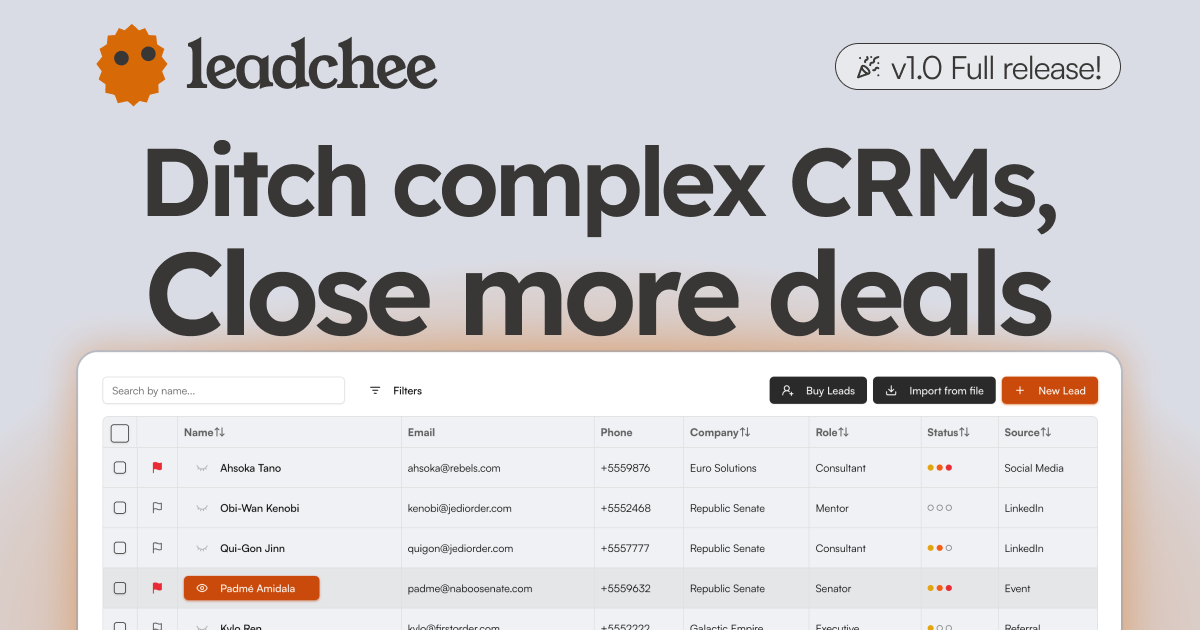
- AI-Powered Lead Scoring: Leadchee's scoring engine uses historical conversion data to rank leads, so you focus on the prospects most likely to buy. This isn't just a static score — it learns over time, improving its accuracy as your team closes more deals. For small teams, this replaces guesswork and manual weeding, meaning you can prioritize follow-ups 10x more efficiently.
- Generous Free Tier and Affordable Pricing: The freemium model lets you test the core features without a credit card, and paid plans start at $15/month. This pricing puts it within reach of startups and SMBs compared to Salesforce ($300+/user/month) or HubSpot (starting $45/month for paid tiers). Even the paid plans likely cost less than $100/month for a small team, making it a low-commitment experiment.
- Workflow Automation and Custom Templates: You can create automation rules that trigger actions — like sending a welcome email or assigning a lead to a sales rep — based on lead behavior or score changes. Custom templates for emails and outreach sequences save time on repetitive tasks, ensuring consistent follow-up. This is a practical feature for teams that lack a dedicated sales operations person.
- API Integration for Flexibility: The API allows you to connect Leadchee to your existing tech stack, whether it's a custom CRM, marketing tools, or internal dashboards. This is a significant advantage for companies that already have a martech ecosystem and need a simple lead management layer rather than a monolithic suite. With decent dev skills, you can sync data both ways.
- Contact Management and Lead Capture: The platform handles basic CRM duties — storing contacts, tracking interactions, and organizing leads into pipelines. The included web form capture makes it easy to collect leads from your site, and the automatic enrichment adds firmographic details, reducing manual entry. This integrated approach covers the essentials without requiring additional tools.
⚠ Watch out for
- No Mobile App: Leadchee does not offer a native mobile app, which severely limits on-the-go sales reps. If your team frequently updates deals or checks leads from their phones, you'll have to rely on the responsive web interface, which may not be optimized for all tasks. In 2026, a CRM without mobile access feels like a gap for field teams that need real-time updates.
- No Browser Extension: There's no browser extension for quick lead capture from websites or LinkedIn. Competitors like HubSpot and Salesforce offer such tools, which are time-savers for prospecting. Without it, you'll need to manually input or import leads, slowing down your workflow and erasing some of the automation benefit.
- Limited Integration Documentation: While Leadchee has an API, the website offers scant details on supported integrations beyond that. There's no public list of built-in connectors (e.g., Gmail, Slack, Zapier), so you may not know if it natively syncs with your existing marketing tools. This lack of transparency could lead to unexpected custom development costs.
- Unproven at Enterprise Scale: Leadchee is clearly built for SMBs. It lacks advanced features like territory management, complex forecasting, and multi-currency support that enterprises often need. While it works for small teams, scaling it to dozens of users or complex sales cycles could become a bottleneck due to its limited feature set and potential performance issues (though performance specifics are not publicly documented).
- Customer Support Availability: There's no live chat or phone support mentioned; the knowledge base and email support are the primary channels. For a platform that automates sales processes, getting prompt help when you're mid-campaign is critical. The lack of real-time support could be a deal-breaker for teams that need quick resolutions.
🎯 Best for
Small to medium-sized businesses looking for an affordable, AI-driven CRM to automate lead scoring, email marketing, and sales workflows.
🚫 Who should skip
Enterprises requiring strict data compliance (GDPR/SOC2), mobile access, or extensive pre-built integrations may find Leadchee lacking.
📚 Learning curve
Moderate - Setting up workflow automation and email marketing integrations takes some initial time, but the core interface is user-friendly.
🧑⚖️ Verdict
If you run a small B2B team that needs affordable, AI-driven lead capture and scoring without the overhead of a full CRM, Leadchee is a solid, cost-effective pick. If your team lives on mobile or requires deep native integrations with your entire stack, look elsewhere (e.g., HubSpot or Pipedrive). B
📊 Use Case Suitability
Higher score = better fit. Scores from editorial review.
🧭 Which One Should You Pick?
Choose Brightcall.AI - AI Agent if...
- You are: Sales teams and SMBs looking to automate outbound lead qualification and appointment booking without heavy upfront inves
- 👍 Automates both inbound and outbound calls with natural language understanding, reducing need for liv
- 👍 Integrates with major CRMs (Salesforce, HubSpot) and offers API access for custom workflows.
- 👍 Free tier available for small-scale testing or low-volume use cases.
- 💰 From $499/mo
- ⚠ Trade-off: Limited customization of conversation flows compared to enterprise-grade voice b
Choose Leadchee if...
- You are: Small to medium-sized businesses looking for an affordable, AI-driven CRM to automate lead scoring, email marketing, and
- 👍 Affordable pricing tiers, including a free version, making it accessible for small businesses.
- 👍 AI-powered lead scoring automates prioritization and reduces manual effort.
- 👍 Workflow automation and custom templates streamline repetitive sales tasks.
- 💰 From $15/mo
- ⚠ Trade-off: No mobile app, limiting usability for sales teams that work on the go.
❓ Frequently Asked Questions
Is Brightcall.AI really free?
The tool offers a free plan, but there may be usage limits on call minutes or features. For higher volumes or advanced integrations, a paid tier likely applies.
What CRM integrations does Brightcall.AI support?
Brightcall.AI integrates with popular CRMs like Salesforce, HubSpot, and others. It also connects with sales engagement tools via API for custom workflows.
Can I use Brightcall.AI for both outbound and inbound calls?
Yes, the AI Agent handles both outbound prospecting and inbound support, automating conversations, lead qualification, and appointment booking.
How natural does the AI voice sound?
Brightcall.AI uses advanced AI models for speech synthesis and natural language understanding, delivering human-like conversations. However, some users may notice robotic tone in complex scenarios.
🔗 More Ai Sales Comparisons
🔀 Explore Alternatives
📧 Save this comparison
We'll email you a link to this comparison. No spam.