Close vs Leadfeeder
Side-by-side comparison — pricing, features, ratings, use cases. Find which Marketing fits you best.

💰 Pricing
🔧 Features
📋 Assessment
💪 Strengths
- Native calling and power dialer: Close integrates a full phone system directly into the CRM. Reps can make calls with one click, and the power dialer automatically loads the next number from a saved list, significantly increasing call volume. The built-in caller ID, call recording, and voicemail dropdown (with pre-recorded messages) streamline the entire process. This is a huge time-saver for outbound teams that live on the phone.
- Custom automation builder: The visual workflow automation lets you create multi-step sequences without coding. For example, you can set up a rule that triggers an email and SMS follow-up when a lead status changes to 'contacted'. It also supports conditionals and delays. This reduces repetitive manual tasks and ensures consistent follow-up, which is crucial for lead conversion.
- Coaching and training features: Close allows managers to listen to live calls, review recordings, and leave time-stamped comments directly on the conversation timeline. The 'coaching moments' feature tracks these interactions, helping managers monitor rep improvement over time. This is a powerful tool for sales enablement, and it's rarely found at this price point.
- Custom reporting and funnels: You can build tailored reports with custom widgets, such as call volume, conversion rates, and revenue by source. Funnel reports visualize the stages of your pipeline, helping identify bottlenecks. This gives managers actionable insights without needing a separate BI tool.
- Email and SMS tracking with templates: All email and SMS communications are logged automatically, with open and click tracking. You can create reusable templates for email and SMS, and even use the ' email sequence' feature to drip campaigns. This ensures that team communication is transparent and consistent.
⚠ Watch out for
- Learning curve: The interface packs a lot of functionality, and it might take new users a week or more to become productive. Especially if you're coming from a simpler tool, the sheer number of options in the UI can be overwhelming. The automation builder also requires a bit of logic-thinking.
- Limited reporting customization for advanced analytics: While custom reports are available, they don't match the depth of tools like Tableau or even built-in analytics in Salesforces. For instance, you can't create fully custom calculated fields or query the database directly. Teams with very complex reporting needs might outgrow it.
- Email integration is limited: Close works with Gmail and Outlook but has limited native integration with other email providers. Also, the email sync is two-way but can occasionally lag or miss a message. For teams that use a different email client, this can be a hassle.
- No free tier for larger teams: The free plan only supports up to 2 users, and it's quite limited (only basic features). For a growing SMB, the cost can add up quickly, especially when you add on SMS credits and additional users. Each user starts at $49/month (annual billing), which is pricier than some competitors like Pipedrive.
- Mobile app is weaker: The mobile app is functional for viewing and making calls, but it lacks some of the features of the desktop version, such as advanced automation and report building. For teams that need to operate heavily on mobile, this might be a drawback.
🎯 Best for
Close is best for SMB sales teams that rely on high-volume phone outreach and need a simple, all-in-one CRM with built-in calling and automation.
🚫 Who should skip
Skip Close if you're looking for a free CRM, an enterprise-level reporting solution, or a primarily email-only sales workflow without heavy phone usage.
📚 Learning curve
Moderate. Setup is straightforward for calling and pipelines, but configuring workflows, custom fields, and the power dialer takes time and practice.
🧑⚖️ Verdict
Close is an excellent choice for SMB sales teams that rely on phone calls and want to streamline outbound processes with integrated communication, automation, and coaching. It's not for those seeking a simple contact manager or for teams that primarily use email-only workflows. If you're serious abo
💰 Pricing
🔧 Features
📋 Assessment
💪 Strengths
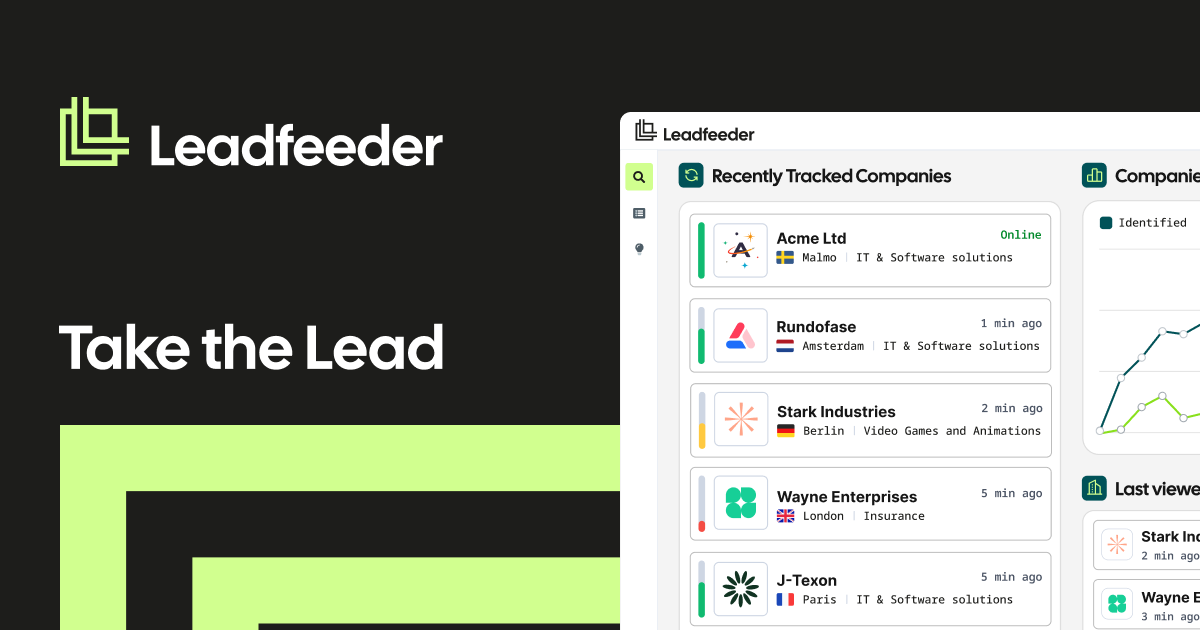
- The free plan is genuinely useful, allowing up to five users and one data source with 100 identified companies per month. This is a generous offer compared to many competitors who only provide time-limited trials. It enables SMBs to test the tool's value without upfront investment, making it a low-risk entry into visitor intelligence.
- Seamless integration with Google Analytics means no complex installation. Leadfeeder taps into your existing GA data to capably identify companies, their page views, and referral sources. This not only saves time but also provides context-rich data that helps sales reps understand which content resonates with prospects.
- CRM synchronization is a standout feature. Native integrations with HubSpot, Salesforce, and Pipedrive automatically create and update lead profiles, assign them to sales reps, and log activities. This eliminates manual data entry and ensures that sales teams are working with the most current information, directly impacting response times and productivity.
- The 'Lead Scoring' feature allows users to set custom parameters based on company demographics and visitor behavior. This is critical for prioritization, as it helps sales teams focus on high-fit, high-intent leads rather than wasting time on low-quality traffic. The feature is easy to configure and provides clear explanations for why a lead matches your criteria.
- Real-time visitor tracking provides immediate alerts when a qualified company visits your site. This enables sales teams to engage while the lead is still active, significantly increasing conversion chances. The alert system is customizable, so you can notify specific team members based on the lead's score or activity.
⚠ Watch out for
- Leadfeeder's data coverage is limited. It identifies companies based on reverse IP lookup, which may miss visitors from smaller businesses or those using shared IPs. This can result in incomplete data, particularly for companies with less stable infrastructure. The tool itself acknowledges that it cannot identify a significant portion of traffic, which may be frustrating for users expecting complete visibility.
- The pricing model can become expensive as your needs grow. The free plan is limited, but the paid plans start at a substantial monthly cost and increase significantly with higher visitor limits and premium features like sales intent data. For businesses with high traffic volume, the cost can balloon quickly, and the value-per-lead might not justify the expense compared to alternative solutions.
- Lack of advanced predictive analytics. Unlike some competitors, Leadfeeder does not offer AI-driven forecasting or predictive lead scoring based on historical patterns. It relies on preset rules and real-time data, which is fine for basic prioritization but may miss deeper insights that could improve sales strategies.
- The implementation of custom filters and segmentation can be complex for non-technical users. While the interface is generally intuitive, setting up advanced filters for multiple conditions or creating custom scoring models can be cumbersome, requiring a learning period to fully leverage the tool's capabilities.
- Customer support is limited to email and a knowledge base on the free plan, with live chat reserved for higher-tier subscribers. Response times can be slow, especially for free users, which may be a concern if you encounter issues that need immediate resolution.
🎯 Best for
B2B SMBs, sales teams, and marketing agencies that want to turn anonymous website traffic into identifiable companies and pipeline-ready leads without paying a large upfront cost.
🚫 Who should skip
Consumer-facing companies, businesses that need individual visitor identity or contact details, and teams that rely on comprehensive mobile or privacy-filtered traffic tracking.
📚 Learning curve
Minimal. If you can copy a script tag and read a basic dashboard, you'll be productive within a few hours; the only real learning curve is understanding which visitors are and aren't being captured by IP-based tracking.
🧑⚖️ Verdict
Leadfeeder is a solid entry-level visitor identification tool for SMBs and agencies that want to convert anonymous traffic into leads without the high cost of enterprise platforms. It’s best for those with Google Analytics and a CRM, and it offers a generous free plan to test its value. If you need
📊 Use Case Suitability
Higher score = better fit. Scores from editorial review.
🧭 Which One Should You Pick?
Choose Close if...
- You are: Close is best for SMB sales teams that rely on high-volume phone outreach and need a simple, all-in-one CRM with built-i
- 👍 Native calling with power dialer directly in the CRM, so no third-party telephony setup is needed.
- 👍 Strong activity logging: emails, calls, and SMS are automatically tracked against the contact or lea
- 👍 Flexible workflows for automating repetitive tasks like follow-up reminders and data enrichment.
- 💰 Free tier available
- ⚠ Trade-off: No permanent free tier; the trial period is only 14 days, which can be short for
Choose Leadfeeder if...
- You are: B2B SMBs, sales teams, and marketing agencies that want to turn anonymous website traffic into identifiable companies an
- 👍 Free plan includes up to five users, making it accessible for small SMBs and agencies testing visito
- 👍 Direct Google Analytics and CRM integrations automate the flow of visitor data into sales tools with
- 👍 Visitor scoring by fit and intent helps sales reps prioritize high-value accounts instead of chasing
- 💰 From $79/mo
- ⚠ Trade-off: Identifies companies, not individuals, so you only get the account name rather t
❓ Frequently Asked Questions
Is Close really free?
No. Close does not offer a permanent free plan; the listed 'Free' refers to a 14-day free trial. Paid plans start after the trial, with pricing based on features and team size.
Can I migrate data from another CRM into Close?
Yes, Close provides built-in CSV import and offers migration assistance from popular CRMs like HubSpot, Salesforce, and Pipedrive. Some historical data (like email threading) may need cleanup depending on the source.
🔗 More Marketing Comparisons
🔀 Explore Alternatives
📧 Save this comparison
We'll email you a link to this comparison. No spam.