Close vs WhatConverts
Side-by-side comparison — pricing, features, ratings, use cases. Find which Marketing fits you best.

💰 Pricing
🔧 Features
📋 Assessment
💪 Strengths
- Native calling and power dialer: Close integrates a full phone system directly into the CRM. Reps can make calls with one click, and the power dialer automatically loads the next number from a saved list, significantly increasing call volume. The built-in caller ID, call recording, and voicemail dropdown (with pre-recorded messages) streamline the entire process. This is a huge time-saver for outbound teams that live on the phone.
- Custom automation builder: The visual workflow automation lets you create multi-step sequences without coding. For example, you can set up a rule that triggers an email and SMS follow-up when a lead status changes to 'contacted'. It also supports conditionals and delays. This reduces repetitive manual tasks and ensures consistent follow-up, which is crucial for lead conversion.
- Coaching and training features: Close allows managers to listen to live calls, review recordings, and leave time-stamped comments directly on the conversation timeline. The 'coaching moments' feature tracks these interactions, helping managers monitor rep improvement over time. This is a powerful tool for sales enablement, and it's rarely found at this price point.
- Custom reporting and funnels: You can build tailored reports with custom widgets, such as call volume, conversion rates, and revenue by source. Funnel reports visualize the stages of your pipeline, helping identify bottlenecks. This gives managers actionable insights without needing a separate BI tool.
- Email and SMS tracking with templates: All email and SMS communications are logged automatically, with open and click tracking. You can create reusable templates for email and SMS, and even use the ' email sequence' feature to drip campaigns. This ensures that team communication is transparent and consistent.
⚠ Watch out for
- Learning curve: The interface packs a lot of functionality, and it might take new users a week or more to become productive. Especially if you're coming from a simpler tool, the sheer number of options in the UI can be overwhelming. The automation builder also requires a bit of logic-thinking.
- Limited reporting customization for advanced analytics: While custom reports are available, they don't match the depth of tools like Tableau or even built-in analytics in Salesforces. For instance, you can't create fully custom calculated fields or query the database directly. Teams with very complex reporting needs might outgrow it.
- Email integration is limited: Close works with Gmail and Outlook but has limited native integration with other email providers. Also, the email sync is two-way but can occasionally lag or miss a message. For teams that use a different email client, this can be a hassle.
- No free tier for larger teams: The free plan only supports up to 2 users, and it's quite limited (only basic features). For a growing SMB, the cost can add up quickly, especially when you add on SMS credits and additional users. Each user starts at $49/month (annual billing), which is pricier than some competitors like Pipedrive.
- Mobile app is weaker: The mobile app is functional for viewing and making calls, but it lacks some of the features of the desktop version, such as advanced automation and report building. For teams that need to operate heavily on mobile, this might be a drawback.
🎯 Best for
Close is best for SMB sales teams that rely on high-volume phone outreach and need a simple, all-in-one CRM with built-in calling and automation.
🚫 Who should skip
Skip Close if you're looking for a free CRM, an enterprise-level reporting solution, or a primarily email-only sales workflow without heavy phone usage.
📚 Learning curve
Moderate. Setup is straightforward for calling and pipelines, but configuring workflows, custom fields, and the power dialer takes time and practice.
🧑⚖️ Verdict
Close is an excellent choice for SMB sales teams that rely on phone calls and want to streamline outbound processes with integrated communication, automation, and coaching. It's not for those seeking a simple contact manager or for teams that primarily use email-only workflows. If you're serious abo
💰 Pricing
📋 Assessment
💪 Strengths
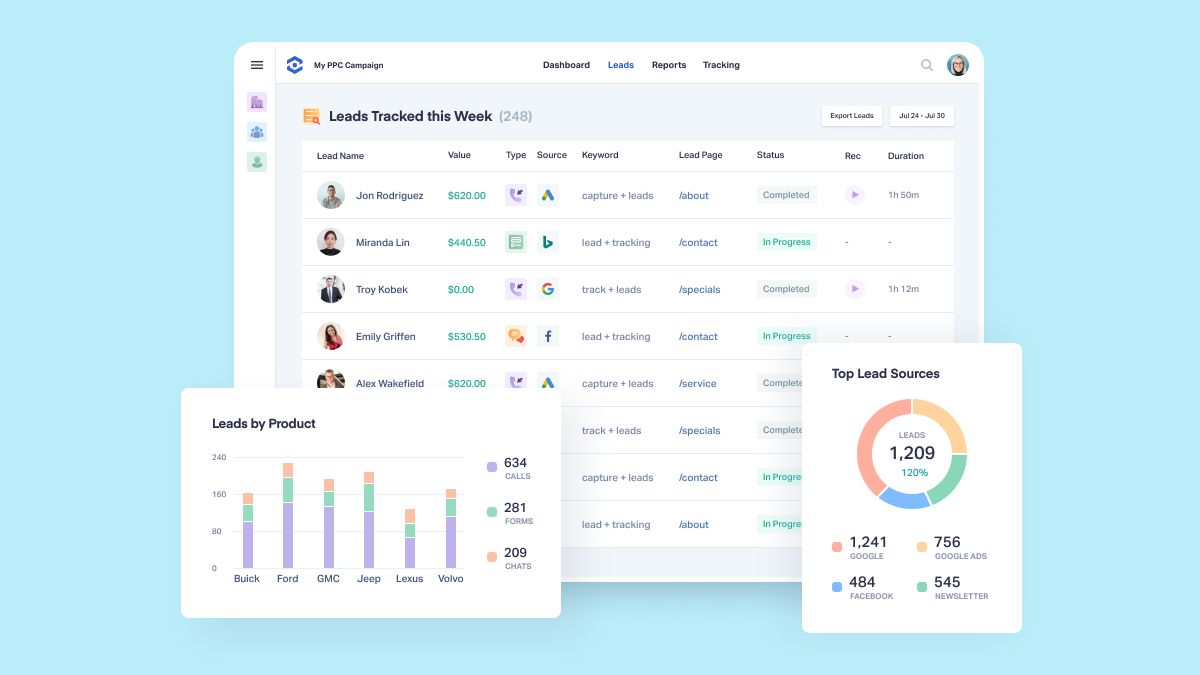
- WhatConverts shines with its unified tracking of calls, forms, chats, and clicks, all in one dashboard. This eliminates the need for multiple tools and provides a complete picture of a lead's journey, making attribution more accurate and reducing data silos. For agencies, this means no more guessing which channel actually drove the conversion.
- The platform offers excellent agency-focused features like client reports and a partner dashboard. You can efficiently manage multiple clients from one account, create custom reports that spell out marketing ROI, and control access with role-based permissions. This streamlines workflows and keeps clients informed.
- Its lead generation and management tools, including a built-in CRM and lead distribution, are surprisingly robust. Leads can be automatically routed to the right salesperson or integrated with popular CRMs like Salesforce and HubSpot. This helps turn raw leads into tangible sales opportunities, directly impacting revenue.
- The call tracking capabilities are top-notch, with dynamic number insertion, call recording, and detailed call insights. You can see exactly which keyword or ad triggered a call, hear the conversation to gauge quality, and even track outcomes like successful sales or appointments. This level of detail is invaluable for optimizing campaigns.
- The integration ecosystem is quite strong, with native integrations for major platforms like Google Ads, Facebook, and leading CRMs, as well as support for Zapier. This makes it easy to incorporate WhatConverts into existing marketing stacks without extensive custom development.
⚠ Watch out for
- The free plan is quite limited, only offering basic lead tracking for a single user. To access essential features like call tracking, form tracking with custom fields, and integrations, you must upgrade to a paid plan starting at $30/month. This may be steep for freelancers or very small businesses just starting out.
- The user interface, while functional, feels somewhat dated and can present a learning curve for first-time users. Navigating through the many settings and reports can be overwhelming, especially for those unfamiliar with lead tracking terminology. The platform could benefit from a more intuitive, modern design.
- The reporting, while comprehensive, can sometimes be overwhelming with too many metrics and options. Customizing reports to show only the most relevant data requires a bit of effort. Some users might prefer a more streamlined, pre-built reporting experience.
- WhatConverts primarily focuses on tracking leads that occur via digital interactions. It does not integrate directly with offline marketing channels like direct mail or billboards unless you manually add them. This could be a limitation for agencies managing multi-channel campaigns that include offline elements.
- While the platform offers robust integrations, the setup process can be complex, particularly for non-technical users. Implementing tracking code across multiple websites and configuring the various integration settings may require a developer or at least some technical proficiency.
🎯 Best for
Marketers, media buyers, and agencies that need undeprecated call and lead tracking to prove attribution across paid, organic, and offline campaigns.
🚫 Who should skip
Small businesses or solo marketers who only need basic analytics and don't require multi-channel attribution or agency-style reporting.
📚 Learning curve
Moderate — setting up dynamic numbers and tracking tags isn't complex, but configuring reporting and integrations takes time.
🧑⚖️ Verdict
WhatConverts is an excellent choice for marketing agencies that need comprehensive lead tracking and client reporting in one place. Its unified tracking and strong integrations make it a powerful tool for demonstrating ROI. However, smaller businesses on a tight budget may want to start with the fre
📊 Use Case Suitability
Higher score = better fit. Scores from editorial review.
🧭 Which One Should You Pick?
Choose Close if...
- You are: Close is best for SMB sales teams that rely on high-volume phone outreach and need a simple, all-in-one CRM with built-i
- 👍 Native calling with power dialer directly in the CRM, so no third-party telephony setup is needed.
- 👍 Strong activity logging: emails, calls, and SMS are automatically tracked against the contact or lea
- 👍 Flexible workflows for automating repetitive tasks like follow-up reminders and data enrichment.
- 💰 Free tier available
- ⚠ Trade-off: No permanent free tier; the trial period is only 14 days, which can be short for
Choose WhatConverts if...
- You are: Marketers, media buyers, and agencies that need undeprecated call and lead tracking to prove attribution across paid, or
- 👍 Combines phone, chat, form, and click tracking in one platform, eliminating the need for multiple di
- 👍 Built specifically for agencies, with client-level dashboards, lead routing, and white-label reporti
- 👍 Dynamic number insertion provides granular attribution down to the keyword, ad, or even exact visito
- 💰 From $50/mo
- ⚠ Trade-off: The free tier is quite restricted; multi-user access, advanced reporting, and ma
❓ Frequently Asked Questions
Is Close really free?
No. Close does not offer a permanent free plan; the listed 'Free' refers to a 14-day free trial. Paid plans start after the trial, with pricing based on features and team size.
Can I migrate data from another CRM into Close?
Yes, Close provides built-in CSV import and offers migration assistance from popular CRMs like HubSpot, Salesforce, and Pipedrive. Some historical data (like email threading) may need cleanup depending on the source.
🔗 More Marketing Comparisons
🔀 Explore Alternatives
📧 Save this comparison
We'll email you a link to this comparison. No spam.