ArtifyMaster vs InvokeAI
Side-by-side comparison — pricing, features, ratings, use cases. Find which Ai Image Generation fits you best.
💰 Pricing
🔧 Features
📋 Assessment
💪 Strengths
- Affordable unlimited Pro plan: At $10/month, the Pro plan offers unlimited generations, which is a stark contrast to competitors like Midjourney's $10/month for roughly 200 images or DALL-E 3's per-token pricing. For heavy users, this is a cost-effective choice that eliminates anxiety about hitting image caps.
- All-in-one feature set: Beyond basic text-to-image, ArtifyMaster includes image-to-image, an upscaler that can double or quadruple resolution, background removal that works reasonably well on clean edges, and face restoration for enhancing old photos. This consolidation saves users from juggling multiple paid tools.
- Free tier for testing: The free tier allows users to generate a limited number of images with full access to all features, not just a watermark-laden trial. This lets potential buyers evaluate the quality and speed before committing to a subscription.
- User-friendly interface: The tool is designed for a non-technical audience. The interface is clean, with intuitive controls for style presets (e.g., realistic, anime, oil painting) and editing tools. New users can produce decent results within minutes without reading tutorials.
⚠ Watch out for
- Missing advanced features: The absence of inpainting, outpainting, ControlNet, LoRA support, and negative prompts is a major drawback for users familiar with modern AI generators. Inpainting alone is critical for fixing flaws in generated images, and its lack forces users to re-generate whole images instead of making targeted edits.
- No API or batch processing: ArtifyMaster has no public API and no batch mode, making it inaccessible for developers and businesses that need to generate images programmatically or in bulk. This limits scalability for e-commerce or marketing automation workflows.
- Unclear commercial licensing: The license terms are vague regarding whether outputs can be used commercially without restrictions. While the free tier is likely for personal use, the Pro plan's commercial rights are not clearly stated. Users should contact support for clarification before using outputs for paid work.
- No negative prompts: The inability to specify what to exclude from an image (e.g., 'no text', 'no blur') significantly reduces control over outputs. Users must rely on more complex positive prompting or accept occasional unwanted elements.
- Output quality ceiling: In side-by-side tests, ArtifyMaster's image quality, especially for complex subjects like hands or text rendering, tends to be inferior to top-tier models like Midjourney or Stable Diffusion with fine-tuned checkpoints. It's sufficient for social posts but not professional art direction.
🎯 Best for
Casual creators and small business owners who need a budget-friendly, mobile-friendly AI image generator with essential editing tools and a simple interface.
🚫 Who should skip
Professional digital artists, developers, or agencies requiring advanced control, batch processing, API integration, or a clear commercial license.
📚 Learning curve
Minimal. The tool offers a straightforward interface with presets and basic controls, making it easy for anyone to generate images within minutes.
🧑⚖️ Verdict
ArtifyMaster is a budget-friendly, all-in-one AI image generator that shines for casual creators, social media managers, and small businesses needing quick visuals without technical overhead. However, it falls short for professionals and developers who require advanced editing features, API access,
💰 Pricing
🔧 Features
📋 Assessment
💪 Strengths
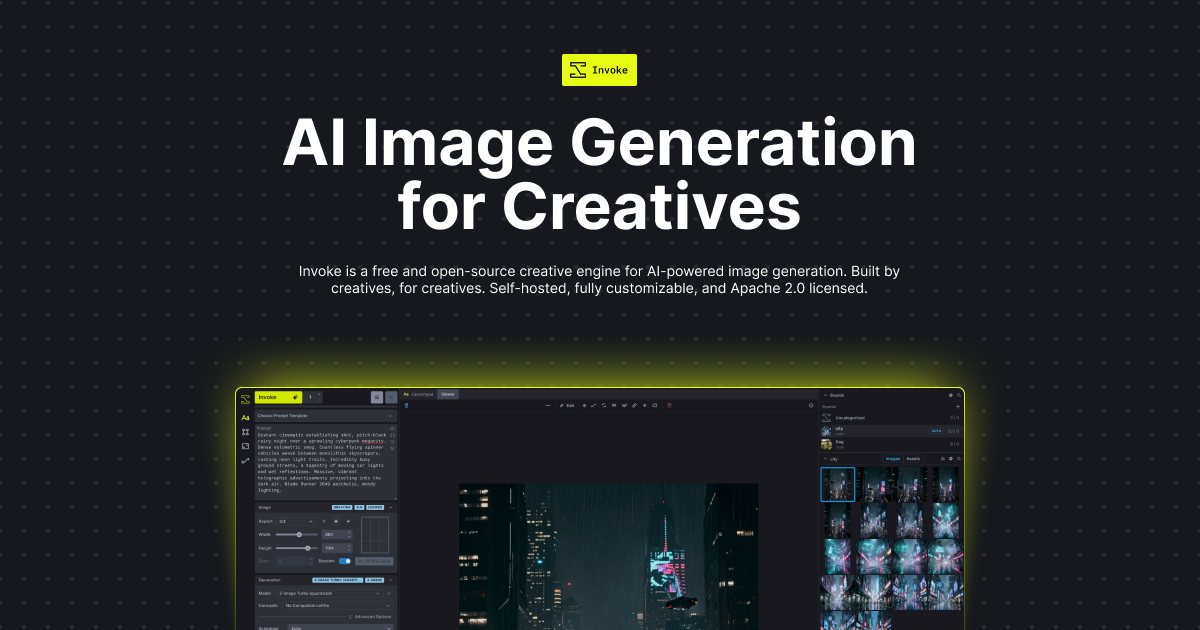
- The unified canvas is a game-changing feature that sets InvokeAI apart. Instead of juggling separate tabs for generation, inpainting, and upscaling, you can manipulate a virtual canvas — layering images, drawing masks, and iterating on sections seamlessly. This makes complex edits, like fixing a hand or changing a background, intuitive and efficient. It's a level of control that cloud tools lack.
- Full offline operation is a massive privacy and security win. Since everything runs on your local GPU, there's no risk of your prompts or generated images being stored on a server. This is crucial for professionals working on confidential projects, like a design firm prototyping for a client under NDA. No data ever leaves your machine.
- The depth of customization is unmatched. You can integrate ControlNet for pose/structure control, train and apply LoRA models for consistent styles, and use the model manager to install a wide array of Stable Diffusion checkpoints. This means you're not locked into one style — you can craft a workflow that produces exactly the aesthetic you need.
- The inpainting and outpainting tools are particularly robust. You can select a specific region of an image, mask it, and regenerate only that area with a new prompt, or extend the canvas outward for a larger composition. The results are seamlessly blended, and the ability to do this non-destructively on a canvas layer is a pro-level feature.
- Being open-source, InvokeAI benefits from continuous community-driven development. New features, model support, and performance improvements are added regularly. Since it's free, there's no cost to staying current, and you can even contribute to the codebase if you're so inclined.
⚠ Watch out for
- Hardware requirements are steep. InvokeAI runs on a local GPU, and to get usable speeds you'll need an NVIDIA card with at least 8GB of VRAM. Integrated graphics are a non-starter. This automatically excludes a huge portion of hobbyists and students who don't have a dedicated gaming PC. The software simply won't deliver a good experience on a typical laptop.
- The installation and setup process is definitely a hurdle. While InvokeAI provides installers, you still need to manage Python environments, install CUDA, and troubleshoot missing dependencies. There's no cloud-based trial to 'try before you buy,' so you have to commit to the setup before you even see if it runs. This is a significant barrier for non-technical users.
- The interface, especially the node-based canvas, has a steep learning curve. Even with the simplified 'unified canvas,' you have to understand concepts like layers, masks, and node graphs. A complete beginner could spend hours just learning how to perform a basic edit. It's powerful, but far from intuitive compared to drag-and-drop tools.
- There is no web interface, mobile app, or API. So if you want to generate images on the go, you're out of luck. The lack of an API is a major drawback for developers who might want to integrate AI image generation into their apps, and the absence of any cloud option means you must be at your local machine to use it.
- Customer support is community-based. There's no formal support team, so you rely on Discord channels and GitHub issues. While the community is generally helpful, you can't expect a guaranteed response time. If you get stuck, you're on your own to search for solutions or wait for a community member to respond.
🎯 Best for
Artists, designers, and AI enthusiasts who want full control over Stable Diffusion generation locally, value privacy, and are comfortable with a moderately technical setup.
🚫 Who should skip
Users who prefer a simple, web-based image generator with no installation required, or those without a dedicated GPU capable of running Stable Diffusion models.
📚 Learning curve
Steep — while basic text-to-image is straightforward, mastering the node-based interface, advanced features like ControlNet, and model management takes significant time and experimentation.
🧑⚖️ Verdict
Buy InvokeAI if you're a serious artist, indie developer, or designer with a capable NVIDIA GPU who values privacy, customization, and no per-usage costs. Look elsewhere if you lack technical patience or a GPU — a cloud service will be far smoother. For those it fits, it's the best open-source image
📊 Use Case Suitability
Higher score = better fit. Scores from editorial review.
🧭 Which One Should You Pick?
Choose ArtifyMaster if...
- You are: Casual creators and small business owners who need a budget-friendly, mobile-friendly AI image generator with essential
- 👍 Affordable Pro plan at $10/month with unlimited generations, much cheaper than many competitors.
- 👍 All-in-one tool: text-to-image, image-to-image, upscaling, background removal, style transfer, and f
- 👍 Free tier available for casual users to test core features without upfront payment.
- 💰 From $10/mo
- ⚠ Trade-off: Limited advanced features: no inpainting, outpainting, ControlNet, LoRA support,
Choose InvokeAI if...
- You are: Artists, designers, and AI enthusiasts who want full control over Stable Diffusion generation locally, value privacy, an
- 👍 Completely free and open-source with no usage caps or watermarks.
- 👍 Runs entirely offline on your own hardware, ensuring full privacy and data security.
- 👍 Extensive feature set including a node-based canvas, ControlNet, LoRA, inpainting, outpainting, and
- 💰 Free tier available
- ⚠ Trade-off: Requires a powerful GPU (NVIDIA recommended) and technical setup; not suitable f
❓ Frequently Asked Questions
Is there a free trial or free tier?
Yes, ArtifyMaster offers a free tier with limited daily generations, including text-to-image, image-to-image, upscaling, and background removal. Upgrades to the Pro plan at $10/month unlock unlimited generations and additional features like style transfer.
What are the daily limits on the free plan?
The free plan has limited daily generations, but the exact number is not specified. For heavy usage, the Pro plan at $10/month provides unlimited generations.
How does ArtifyMaster compare to other AI image generators like Midjourney or DALL-E?
ArtifyMaster is a more affordable, all-in-one mobile app focused on simplicity and essential editing tools (upscaling, background removal, face swap). However, it lacks advanced features like inpainting, outpainting, ControlNet support, and community-driven prompt sharing found in higher-end tools.
🔗 More Ai Image Generation Comparisons
🔀 Explore Alternatives
📧 Save this comparison
We'll email you a link to this comparison. No spam.