QuillBot vs SimpleLocalize
Side-by-side comparison — pricing, features, ratings, use cases. Find which Ai Writing fits you best.

💰 Pricing
🔧 Features
📋 Assessment
💪 Strengths
- A free tier that actually works: QuillBot’s free version allows up to 125 words per paraphrase, summary, or grammar check. That’s enough for a short email or a paragraph, making it a genuinely useful tool even if you never pay. The grammar checker in the free tier is decent, and the summarizer can condense articles into key points, which is great for research.
- Multiple paraphrasing modes: You can select from Standard, Fluency, Creative, Formal, Shorten, and (on Premium) Expand. Each mode produces different rewording strategies—Formal makes text more academic, Shorten condenses ideas, and Creative produces more dramatic rewrites. This flexibility lets you control the output style, which is rare among paraphrasing tools.
- Seamless integrations: The Chrome extension and Microsoft Word add-in let you use QuillBot directly on web pages, Google Docs (via Chrome), or in Word. You can paraphrase highlighted text without switching tabs, which saves time. The Word add-in is particularly useful for professionals who draft long documents in Word.
- QuillBot’s AI rewriter can also generate new content from a prompt, though it’s not as powerful as dedicated AI writers like Jasper. Still, it’s a bonus that adds value for brainstorming ideas or drafting short paragraphs.
- Fast and reliable: QuillBot processes text quickly, even on the free tier, and the output is generally coherent. The platform is web-based, so there’s nothing to install (unless you use extensions), and it works on any device with a browser.
⚠ Watch out for
- Free word cap is restrictive: The 125-word limit means you can’t paraphrase an entire article or long email in one pass. You have to break it into sections, which is tedious. Upgrading to Premium removes the limit, but that’s a cost to consider.
- Grammar checker is not on par with Grammarly: QuillBot’s grammar checker catches basic errors but misses subtle issues like misplaced modifiers, incorrect prepositions, or style inconsistencies that Grammarly flags. It also doesn’t offer tone detection or punctuation style suggestions, which are helpful for professional writing.
- Paraphrased text can sound unnatural: Depending on the mode, the output may use odd synonyms or awkward phrasing. For example, Creative mode might produce overly verbose or forced rewrites. You often need to manually re-edit the output, which can negate time savings. The tool is not a replacement for your own editing judgment.
- The AI writing feature is limited: QuillBot’s AI writer is not as advanced as dedicated AI content generators. It produces generic text and lacks contextual awareness for long-form content. If you need advanced content generation, look elsewhere, but for short pieces it’s adequate.
- No free trial for Premium features: While there is a money-back guarantee (usually 3 days), there’s no free trial to test the unlimited paraphrasing and advanced modes. You have to trust the product or use the limited free version.
🎯 Best for
Students, content writers, and non-native English speakers who need a low-cost tool to rephrase sentences and catch basic grammar issues without leaving their browser or Word.
🚫 Who should skip
Professional editors, academic journal authors, and marketing teams who need deep contextual grammar corrections, plagiarism-checks on large documents, or original long-form AI writing—QuillBot is not a full editorial platform.
📚 Learning curve
Minimal - basic paraphrasing and grammar checking work immediately, though choosing the right mode (e.g., Creative vs. Formal) takes a little trial and error to get desired results.
🧑⚖️ Verdict
QuillBot is a strong choice for students, writers, and professionals who need robust paraphrasing and summarizing tools, especially if you’re on a budget—its free tier is one of the best. However, if you rely heavily on grammar checking and tone suggestions, Grammarly is superior. If you primarily n
💰 Pricing
🔧 Features
📋 Assessment
💪 Strengths
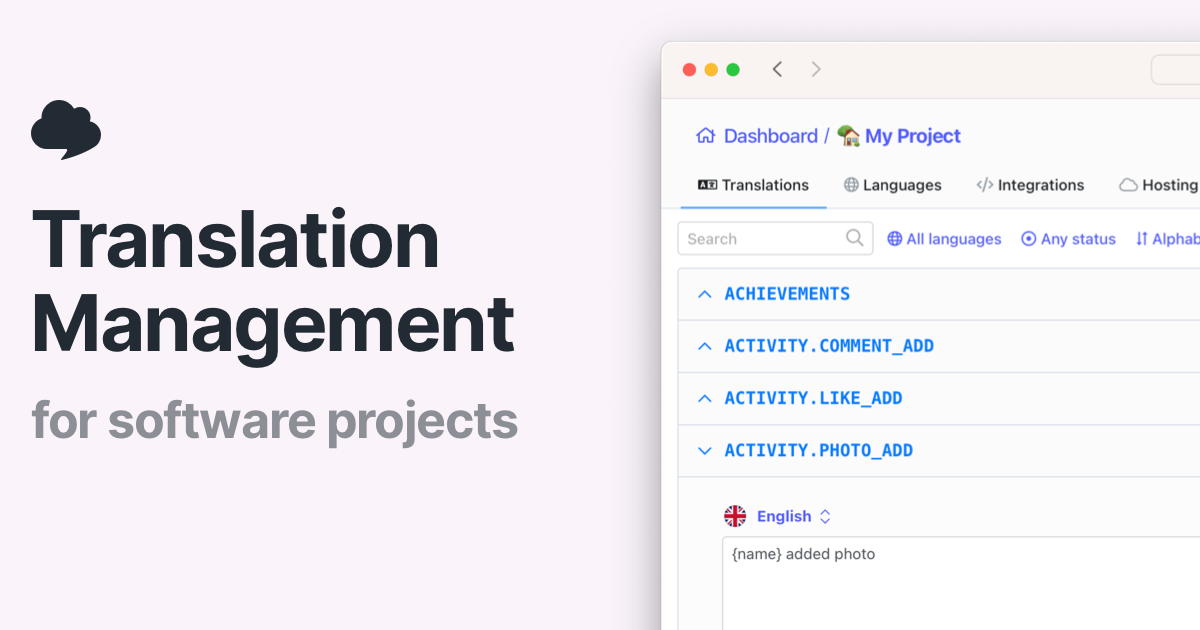
- Completely free automatic translations: This is a massive advantage. You can translate an unlimited number of keys and phrases without paying a cent. For indie developers or small startups, this eliminates the cost barrier to localization. You get AI-powered translations that are surprisingly accurate for common phrases, and you can run them as often as needed.
- Native Git integrations with GitHub, GitLab, and Bitbucket: SimpleLocalize hooks directly into your version control system. You can connect a repository, and it will automatically detect changes to locale files, translate new keys, and even create pull requests with the updates. This automation saves hours of manual copy-pasting and keeps your translations in sync with your codebase.
- Support for 100+ languages and document translation: It’s not just for key-value pairs. SimpleLocalize can translate full JSON or YAML files and even larger documents. This is useful for marketing copy, help docs, or any text you need to localize. The breadth of language coverage makes it easy to target diverse markets.
- Simple setup: You don’t need a credit card or a complex configuration. Sign up, connect a repository, and you’re translating within minutes. The interface is clean and focuses on the task at hand, which is perfect for developers who want to get back to coding.
- Automated workflow with pull request integration: The ability to have translations automatically submitted as a pull request means you can review and merge changes directly in your existing code review process. This keeps a clear audit trail and prevents merge conflicts.
⚠ Watch out for
- No team collaboration features: SimpleLocalize in its free tier does not offer shared workspaces, user roles, or permission controls. If you have multiple people involved in translation — say, a developer and a native-speaking reviewer — you can’t manage them within the platform. You’ll have to export/import files through Git, which can get messy.
- Lack of brand voice and tone customization: The AI translations are generic. There’s no way to train the system on your brand’s vocabulary, style, or preferred phrasing. This could result in translations that feel robotic or inconsistent with your brand identity. For marketing copy with a specific tone, this is a significant drawback.
- Limited export formats and no in-context editor: You can import and export common formats like JSON, YAML, and CSV, but you won’t find support for more specialized formats like XLIFF or Android string resources. More importantly, there’s no in-context editor that lets you see translations within the actual UI, which makes it harder to spot issues like text expansion or context-dependent mistranslations.
- Translation memory is not available: Professional translation tools use translation memory to store approved translations and reuse them, ensuring consistency and reducing cost. SimpleLocalize’s auto-translation does not offer this, so you might get inconsistent translations for the same term across different parts of your app.
- Reliance on AI accuracy: While AI translation has improved, it’s not perfect. For languages with complex grammar or cultural nuances, the output might be awkward or even wrong. Without human review mechanisms built in, you risk shipping poor translations.
🎯 Best for
Developers and solo localization managers who need fast, automated translations for software projects without upfront cost.
🚫 Who should skip
Teams requiring collaborative translation workflows, quality assurance, or human-review capabilities should look elsewhere.
📚 Learning curve
Minimal — the tool is designed for developers with clear API docs and easy integration points, requiring basic familiarity with version control and key-based translation files.
🧑⚖️ Verdict
SimpleLocalize’s Auto Translation is a solid choice for individual developers and small teams who need fast, free translations and are comfortable with Git-driven workflows. It falls short for orgs that require collaboration, brand consistency, or advanced export options. Bottom line: a great free t
📊 Use Case Suitability
Higher score = better fit. Scores from editorial review.
🧭 Which One Should You Pick?
Choose QuillBot if...
- You are: Students, content writers, and non-native English speakers who need a low-cost tool to rephrase sentences and catch basi
- 👍 A genuinely useful free tier for paraphrasing, grammar checks, and summaries-up to 125 words at a ti
- 👍 Multiple paraphrasing modes (Standard, Fluency, Creative, Formal, Shorten) let you choose how aggres
- 👍 Integrates with Chrome and Microsoft Word, so you can use it directly where you write.
- 💰 From $10/mo
- ⚠ Trade-off: Free version's word cap is restrictive; you can't paraphrase a whole article or
Choose SimpleLocalize if...
- You are: Developers and solo localization managers who need fast, automated translations for software projects without upfront co
- 👍 Completely free for automatic translations, making it accessible for individual developers and small
- 👍 Native integrations with popular developer tools like GitHub, GitLab, and Bitbucket for seamless wor
- 👍 Supports over 100 languages with AI-powered translation that can handle both phrases and documents.
- 💰 Free tier available
- ⚠ Trade-off: Lacks team collaboration features such as shared workspaces, role management, or
❓ Frequently Asked Questions
Does QuillBot have a free plan?
Yes, QuillBot offers a free tier that includes basic paraphrasing, grammar checking, and a summarizer. Free access has word limits and caps on how many paraphrases you can run at a time; the Premium plan unlocks longer text limits and advanced tools.
How much does QuillBot Premium cost?
QuillBot Premium is subscription-based, typically around $19.95 per month, but you can get a lower effective monthly rate with quarterly or annual billing. There is also a one-time lifetime plan option that has been offered periodically, but the subscription is the standard billing model.
Does the plagiarism checker come free?
No. The plagiarism checker is only available on QuillBot Premium, and even then it has a monthly page or word limit depending on your plan. You can't use it at all on the free tier.
Are there any word limits in the free version?
Yes. The free paraphraser processes text up to about 125 words in a single paraphrase, and the grammar checker is also limited per document. Premium raises those caps significantly, but still not unlimited.
🔗 More Ai Writing Comparisons
🔀 Explore Alternatives
📧 Save this comparison
We'll email you a link to this comparison. No spam.