Archistar vs ClosingWTF
Side-by-side comparison — pricing, features, ratings, use cases. Find which Ai Real Estate Listing fits you best.
💰 Pricing
📋 Assessment
💪 Strengths
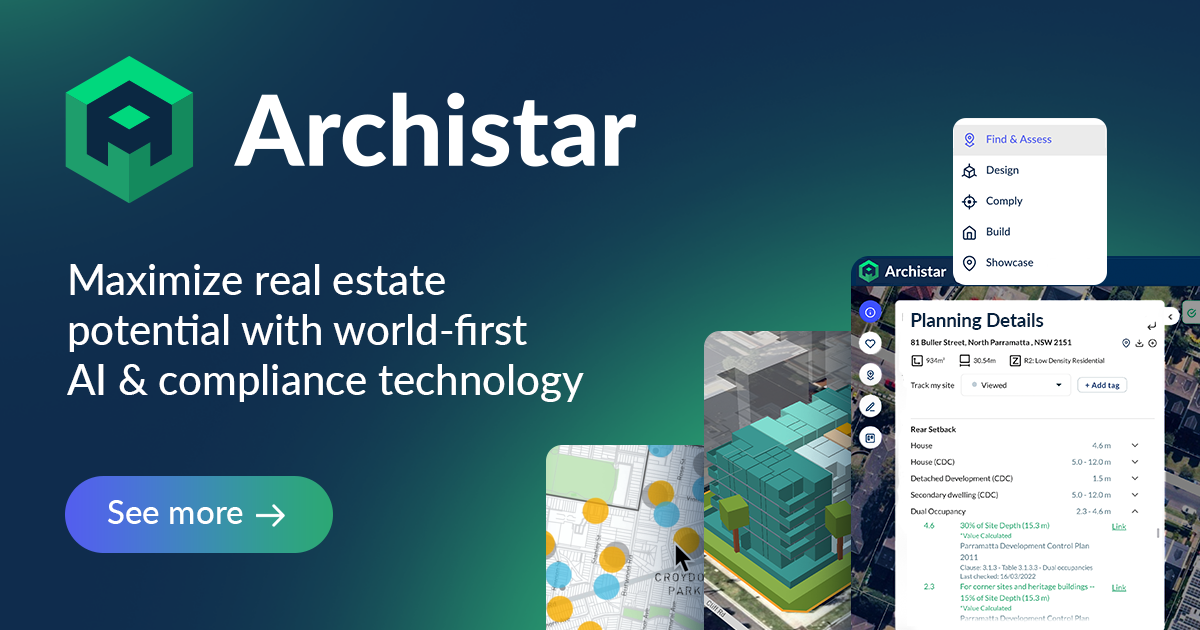
- Comprehensive Australian zoning and overlay data: Archistar sources data directly from government bodies, ensuring that users have the most current zoning regulations, overlays, and other statutory controls. This is crucial for feasibility studies, as outdated data can lead to costly mistakes. The platform covers a wide range of data types, including planning zones, heritage listings, flood prone land, bushfire prone areas, and more, all presented in an easy-to-understand visual format.
- AI-powered feasibility analysis: The core of Archistar's value proposition is its ability to automatically assess a property's development potential. By inputting a site address, the AI calculates the developable area, estimates potential yield, and projects profit based on density and other planning rules. This feature saves substantial time and provides a solid baseline for more detailed analysis.
- Interactive map interface with color-coded layers: The map view is exceptionally user-friendly, allowing users to toggle various overlays on and off. The color-coded system makes it immediate to identify areas that are subject to specific restrictions or opportunities. This visual approach significantly reduces the cognitive load of interpreting text-based regulations and aids in client presentations.
- Rapid property assessment for comparative analysis: Archistar enables quick comparison of multiple properties at once. Users can assess several sites within a short time, which is essential for investors and developers evaluating different opportunities. The platform’s speed allows, for instance, comparing a block with an existing dwelling against a vacant block, considering permissible units, and calculating a feasibility summary for each.
- Useful for various professional roles: Archistar is not just for developers; it serves a broad audience including property valuers, town planners, architects, and real estate agents. The clarity of the data and the feasibility output can support valuation reports, pre-purchase due diligence, and even better informed development advice to clients.
⚠ Watch out for
- Australia-only coverage: This is the biggest limitation. If you operate in any other country, Archistar is not an option. There is no indication of international expansion, so overseas users must look elsewhere. Even within Australia, coverage is not uniform across all local councils, and updates might lag for remote areas.
- Advanced features locked behind a paywall: While the free version provides basic information, essential tools like detailed PDF reports, high-resolution satellite imagery, and deep feasibility data (such as exact building heights and floor space ratios) require a paid subscription. The cost may be prohibitive for occasional users or small investors.
- No CRM or marketing integrations: Archistar does not offer native integrations with common real estate software like Salesforce, HubSpot, or property listing platforms. This means that workflows that involve transferring data between systems are manual, increasing the risk of errors and wasting time. For agencies that rely on automation, this is a hindrance.
- Learning curve for new users: Although the map interface is intuitive, the volume of data and planning terminology can be overwhelming for novices. The platform assumes a basic understanding of town planning and development metrics. There is limited onboarding or tutorial content within the app itself, and new users may need to consult external resources to interpret some information.
- Performance issues on less powerful devices: The map rendering, with multiple overlays, can be sluggish on lower-end computers or tablets. This may be a practical issue for users who need to show data on-site or on the go. A stable internet connection is also required, as there is typically no offline capability.
🎯 Best for
Australian property developers, investors, and town planners who need quick, data-driven feasibility assessments for residential and mixed-use sites.
🚫 Who should skip
Real estate agents focused on selling homes, property managers, or anyone operating outside Australia.
📚 Learning curve
Moderate – basic searches are simple, but fully leveraging the feasibility tools and understanding zoning terminology takes several hours of exploration.
🧑⚖️ Verdict
Archistar is a compelling choice for Australian property developers and investors who need fast, accurate feasibility assessments. Its AI-driven analysis and comprehensive zoning data set it apart from manual methods. However, those outside Australia or users requiring CRM integrations should look e

💰 Pricing
🔧 Features
📋 Assessment
💪 Strengths
- The tool is completely free, with no subscription fees or hidden costs. This makes it an unrivaled entry point for solo agents or small teams who want to leverage AI-driven call analysis without budget constraints, allowing them to allocate resources to other areas of their business.
- Automatic transcription and summarization save hours of manual note-taking. Users can upload a recorded call and receive a detailed summary, enabling them to quickly grasp the essence of long conversations without re-listening, thereby increasing overall productivity.
- It identifies key moments, objections, and next steps, providing clear, actionable items. For a sales professional, this is like having a personal coach pointing out where they lost the prospect's interest and what to do next, facilitating continuous improvement.
- The interface is straightforward, making it easy to upload files and access analyses. There is no steep learning curve, allowing even non-tech-savvy users to benefit from the tool immediately.
- The focus on real estate sales scenarios aligns well with the specific needs of agents, addressing common pain points like handling negotiation objections and identifying buyer intent signals within conversations.
⚠ Watch out for
- No real-time call analysis: The tool only works with pre-recorded audio/video files, meaning it cannot provide live feedback during an ongoing call. This limits its usefulness for coaching in the moment and requires users to wait until after the call to gain insights.
- Lacks integrations with popular CRMs or real estate platforms: Without native connections to Salesforce, HubSpot, or even niche real estate CRMs, users must manually export/import data, which reduces workflow efficiency and may discourage adoption in existing tech stacks.
- Unclear usage limits: The pricing page does not explicitly state file size limits or the number of analyses allowed per day/week. Free users might hit unexpected restrictions, leading to frustration, especially for high-volume callers.
- Privacy concerns: Uploading sensitive sales call recordings to a third-party AI tool raises data security questions. Without clear data retention policies or compliance certifications (like SOC 2), enterprise users may hesitate to use it for proprietary information.
- Lacks advanced analytics features such as sentiment analysis, talk-to-listen ratio, or keyword frequency comparison across calls, which are available in competing paid tools and provide deeper insights into communication effectiveness.
🎯 Best for
Individual sales professionals and small real estate teams who want a free, lightweight tool to analyze recorded sales calls and gain insights to close more deals.
🚫 Who should skip
Enterprise sales organizations that need CRM integration, team collaboration, real-time analysis, and advanced security features.
📚 Learning curve
Minimal – simply upload a recorded call file and receive a transcript, summary, and analysis within minutes.
🧑⚖️ Verdict
ClosingWTF is a valuable free tool for real estate agents and individual sales professionals looking to improve their closing techniques through retroactive call analysis. It's a no-brainer for those with no budget, but teams requiring real-time analytics, CRM integration, or advanced compliance fea
📊 Use Case Suitability
Higher score = better fit. Scores from editorial review.
🧭 Which One Should You Pick?
Choose Archistar if...
- You are: Australian property developers, investors, and town planners who need quick, data-driven feasibility assessments for res
- 👍 Comprehensive Australian zoning and overlay data updated regularly from government sources.
- 👍 AI-powered feasibility analysis automatically calculates developable area, yield, and potential prof
- 👍 User-friendly map interface with easy-to-read color-coded overlays for quick visual assessment.
- 💰 From $130/mo
- ⚠ Trade-off: Only available for the Australian property market, with no international coverag
Choose ClosingWTF if...
- You are: Individual sales professionals and small real estate teams who want a free, lightweight tool to analyze recorded sales c
- 👍 Completely free to use with no upfront payment or subscription required.
- 👍 Automatically transcribes and summarizes sales calls, saving hours of manual note-taking.
- 👍 Identifies key moments, objections, and next steps, providing clear action items for improvement.
- 💰 Free tier available
- ⚠ Trade-off: No support for real-time call analysis – only works with pre-recorded audio/vide
❓ Frequently Asked Questions
Is Archistar completely free?
Archistar offers a free tier with limited access, but advanced features such as detailed feasibility reports, high-resolution imagery, and data exports require a paid subscription. Pricing is per user per month, with plans starting around $100.
What datasets does Archistar cover?
Archistar uses government zoning, overlay, and property data primarily for Australia. It includes information on land constraints, floor space ratios, heritage overlays, and environmental restrictions.
Can I use Archistar for commercial property analysis?
Yes, Archistar supports both residential and commercial property feasibility. It provides insights into development potential, but its strengths are most pronounced for residential and mixed-use projects.
Does Archistar integrate with CRM or other tools?
Currently, Archistar does not offer native CRM integrations. However, you can export data as CSV or PDF files to use in other systems. API access is not publicly available.
🔗 More Ai Real Estate Listing Comparisons
🔀 Explore Alternatives
📧 Save this comparison
We'll email you a link to this comparison. No spam.