DocGPT.ai vs Supreme AI Writer
Side-by-side comparison — pricing, features, ratings, use cases. Find which AI Writing Tools fits you best.

💰 Pricing
🔧 Features
📋 Assessment
💪 Strengths
- Seamless Google Docs integration: DocGPT.ai lives directly inside Google Docs, so you don't have to switch tabs or apps to get AI help. Select text, press a hotkey, and choose an action—the output appears right in your document. This saves time and reduces context-switching, making it ideal for people who write long reports or proposals in Docs.
- Flexibility to use your own API keys: One of the most significant advantages is the ability to plug in your own OpenAI, Gemini, or Mistral API keys. This gives you control over which model you use, and you only pay the API provider's per-token cost, which can be more cost-effective than a monthly subscription if you're a moderate user. It also means you can swap models for different tasks or use newer models as they become available.
- Supports multiple LLMs: Unlike many tools that are tied to a single model, DocGPT.ai supports ChatGPT, Gemini, and Mistral. This lets you choose the best model for your task—say, Gemini for factual summaries, ChatGPT for creative writing, or Mistral for a lighter, faster response. It's a level of choice that's rare in consumer AI writing tools.
- Free tier available: The free tier offers basic functionality, which is perfect for trying out the add-on before committing to API costs. It's a practical way to see if the tool fits your workflow without any upfront investment.
- Core writing actions done well: The main functions—generate, rewrite, summarise, translate—work smoothly. The AI output is generally high-quality, and the ability to get quick rewrites or summaries directly in your document is genuinely time-saving. The translation feature supports multiple languages, which is useful for global teams.
⚠ Watch out for
- No built-in plagiarism checker: Unlike some competitors, DocGPT.ai doesn't include a plagiarism detection tool. This is a significant gap for educators, students, and content creators who need to ensure originality. You'd have to use a separate tool, adding extra steps to your workflow.
- No SEO or readability tools: For content marketers and bloggers, the lack of SEO optimization suggestions and readability scoring is a drawback. You can't get guidance on keyword density, meta descriptions, or sentence complexity, which are common features in dedicated AI writing software like Jasper or Copy.ai.
- Limited collaboration and customization: The add-on doesn't offer team features like shared templates, brand voice settings, or collaborative AI usage. If you're managing a team that needs consistent tone and style, you'll be disappointed. There's also no way to create custom prompts or save frequently used templates, which would streamline repetitive tasks.
- Requires internet and is tied to Google Docs: DocGPT.ai has no standalone app or offline mode—you must be online and working within Google Docs. This can be a deal-breaker for those who work offline or prefer desktop-based writing tools. Also, the add-on's performance is dependent on Google Workspace's stability.
- API key setup can be intimidating: For non-technical users, the process of obtaining and entering API keys from OpenAI or Google might be confusing. It involves creating accounts, setting up billing, and understanding API usage. This friction might put off some users who just want a simple plug-and-play tool.
🎯 Best for
Writers, students, and professionals who work extensively in Google Docs and need quick AI assistance for generating, editing, and translating content without leaving their document.
🚫 Who should skip
Teams or power users who need a comprehensive writing assistant with plagiarism checking, SEO optimization, collaboration tools, or advanced formatting and templates.
📚 Learning curve
Minimal – the add-on integrates directly into Google Docs with a clean sidebar interface, and basic functions are self-explanatory.
🧑⚖️ Verdict
DocGPT.ai is a smart choice for individual users and small teams who already rely on Google Docs and want to add AI capabilities without switching platforms. It's especially valuable for those who want to bring their own API keys to manage costs and model choices. However, if you need advanced featu
💰 Pricing
🔧 Features
📋 Assessment
💪 Strengths
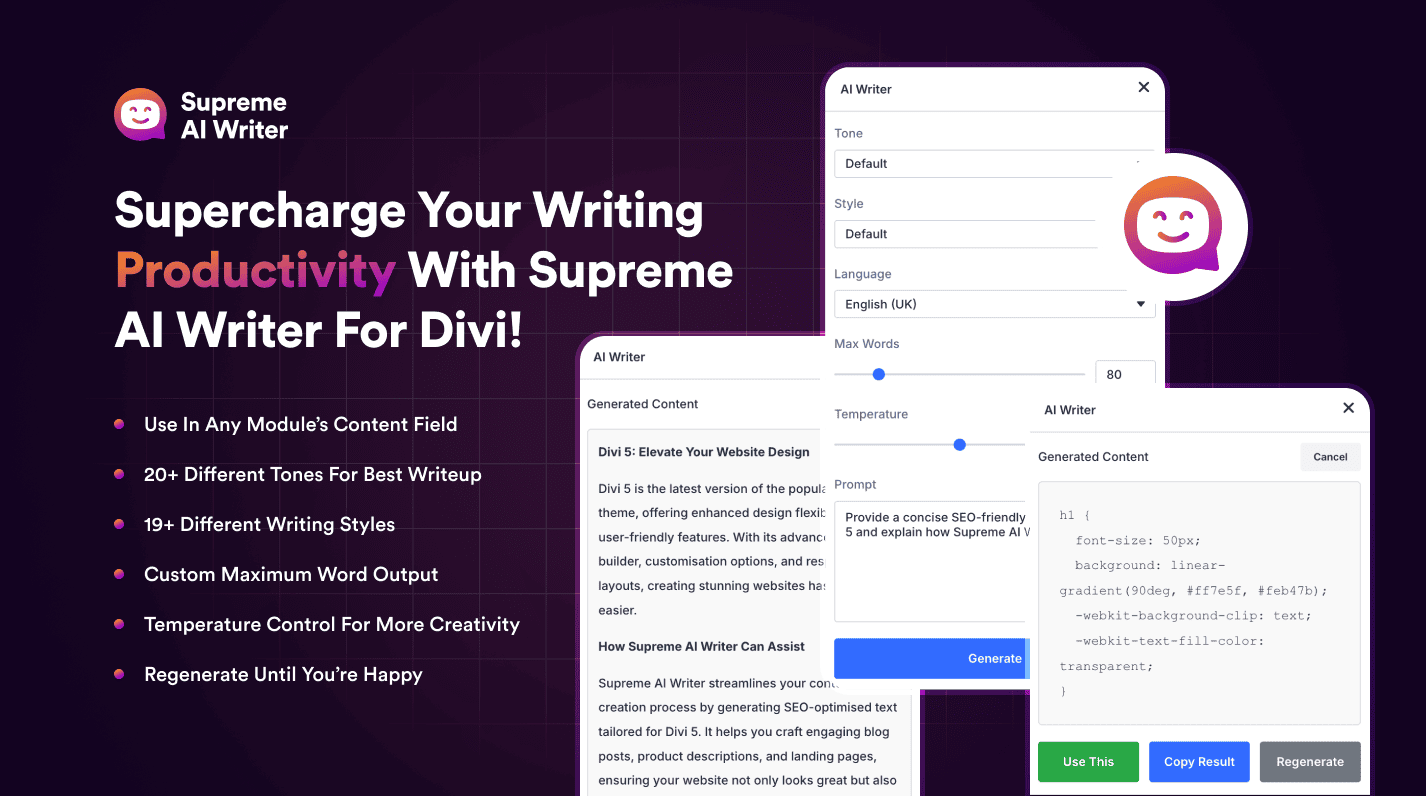
- Seamless Divi Builder Integration: Supreme AI Writer lives directly inside the Divi Builder, so you can generate content, images, and code without switching tabs or copying text between systems. This integration is the plugin's biggest selling point—it shaves minutes off each task and keeps your workflow fluid, especially when you're building multiple pages.
- Unlimited Word Generation: At $49/mo, the plan includes unlimited word generation, which is rare among AI writing tools that typically cap usage. For content-heavy Divi sites or agencies handling multiple clients, this means predictable costs and no throttling, making it a solid value if you produce a lot of copy.
- Built-in SEO Optimization: The plugin includes an SEO scoring system that analyzes your content for keyword usage, readability, and other factors. It also generates meta descriptions and titles, integrating with the Divi theme's SEO features. This ensures that your content isn't just well-written but also primed for search engines, which is crucial for attracting organic traffic.
- Long-Form Editor: Unlike many AI tools that struggle with long content, Supreme AI Writer offers a dedicated long-form editor that lets you expand on initial drafts, maintain a consistent voice, and organize sections. This is particularly useful for blog posts and articles, where coherence and depth matter.
⚠ Watch out for
- Exclusive to Divi and WordPress: The biggest limitation is its narrow compatibility. If you don't use Divi or WordPress, you're locked out. Even within WordPress, users of Elementor or Gutenberg won't find this useful, severely limiting its market. For non-Divi users, this plugin is irrelevant.
- No Plagiarism Checker or Grammar Support: Supreme AI Writer lacks built-in tools to check for plagiarism or grammar errors, which are standard in many AI writing platforms. This means you'll likely need to invest in additional tools like Grammarly or Copyscape to ensure content originality and correctness, adding cost and friction to your workflow.
- No Free Trial or Tier: There's no free trial or free plan, so you must commit $49 upfront without testing the plugin. While the price is reasonable, the lack of a trial creates a risk for potential buyers who might not find the integration as smooth as expected. This could be a dealbreaker for those who prefer to validate before purchase.
🎯 Best for
Divi users who want an all-in-one AI writing, image, and code generator integrated directly into their page builder workflow.
🚫 Who should skip
Non-Divi WordPress users, freelancers needing a standalone AI writer, or teams requiring collaboration and plagiarism checks.
📚 Learning curve
Minimal – if you already use Divi, the AI writer fits naturally; new Divi users will need basic builder familiarity.
🧑⚖️ Verdict
Supreme AI Writer is a powerful tool for Divi users who want to streamline content creation within the builder, offering great value with unlimited words and SEO tools. However, its exclusivity to Divi/WordPress and lack of trial, plagiarism checking, and grammar support make it a niche choice. If y
📊 Use Case Suitability
Higher score = better fit. Scores from editorial review.
🧭 Which One Should You Pick?
Choose DocGPT.ai if...
- You are: Writers, students, and professionals who work extensively in Google Docs and need quick AI assistance for generating, ed
- 👍 Seamlessly integrates into Google Docs, allowing AI assistance without switching tabs or apps.
- 👍 Supports multiple LLMs (ChatGPT, Gemini, Mistral) with the option to use your own API keys for flexi
- 👍 Free tier available for basic usage, making it accessible for individual users.
- 💰 Free tier available
- ⚠ Trade-off: No built-in plagiarism checker, SEO tools, or readability scoring, limiting its
Choose Supreme AI Writer if...
- You are: Divi users who want an all-in-one AI writing, image, and code generator integrated directly into their page builder work
- 👍 Seamless integration with the Divi Builder, eliminating the need to switch between tools.
- 👍 Unlimited word generation at a flat $49 price, with no usage caps.
- 👍 Built-in SEO optimization and long-form editor for polished, search-friendly content.
- 💰 From $49/mo
- ⚠ Trade-off: Exclusive to Divi and WordPress – useless for non-Divi users or other content ma
❓ Frequently Asked Questions
Is DocGPT.ai free?
Yes, DocGPT.ai offers a free tier with basic features. However, advanced features and higher usage may require a paid subscription or using your own API keys.
Can I use my own API keys for ChatGPT, Gemini, or Mistral?
Yes, you can connect your own API keys from OpenAI, Google, or other providers to avoid usage limits and control costs.
Does it support languages other than English?
Yes, it supports multiple languages for generating, rewriting, summarizing, and translating content directly within Google Docs.
Is DocGPT.ai only available as a Google Docs add-on?
Yes, it operates as a browser extension that integrates into Google Docs. There is no standalone mobile app or desktop application.
🔗 More AI Writing Tools Comparisons
🔀 Explore Alternatives
📧 Save this comparison
We'll email you a link to this comparison. No spam.