Exie vs Leadchee
Side-by-side comparison — pricing, features, ratings, use cases. Find which AI Sales fits you best.

💰 Pricing
🔧 Features
📋 Assessment
💪 Strengths
- Seamless integration with core tools: Exie's native tie-ins with Gmail, Notion, and Slack are its biggest draw. Instead of juggling multiple AI plugins, you can draft email responses directly in Gmail, summarize meetings into Notion, and generate Slack posts without leaving your workflow. This tight integration means the AI meets you where you already work, reducing friction and encouraging regular use. The mobile app extends this to on-the-go productivity, letting you handle quick actions from your phone.
- Free tier to test the waters: The free plan is smart—it allows individual users to experience Exie’s value without upfront cost. You can set up a few key automations, like auto-summarizing incoming emails or turning Notion updates into task lists. This is ideal for solopreneurs or curious professionals who want to validate the tool before committing to a subscription.
- Task automation beyond brainstorming: Unlike generic AI chat tools that simply generate text, Exie focuses on action. You can set up workflows that automatically create tasks in Notion from email threads, or send follow-up messages to Slack based on triggers. This moves AI from a passive assistant to an active team member, saving you from switching between apps repeatedly.
- Customizable workflow builder: Exie allows you to construct custom workflows with conditions and triggers. For example, you can design a rule that if an email contains 'urgent', it automatically sends a Slack notification to your team and creates a high-priority task. This flexibility means you can shape Exie to your specific needs, rather than being limited to a few canned templates. However, keep in mind that heavy customization may require some learning time.
- Mobile app for on-the-fly productivity: In a world where work spills into lunch hours and commutes, Exie’s mobile app is a handy companion. It lets you review summaries, start new workflows, and catch up on notifications from anywhere. For consultants or reps who are constantly moving, this ensures you never fall behind on routine actions.
⚠ Watch out for
- Not SOC2 compliant: This is a significant dealbreaker for any enterprise or B2B company that handles sensitive client data. Without SOC2 Type II certification, it's difficult to pass a security review, which severely limits Exie's market to smaller, less regulated companies. Even if the tool is secure in practice, the lack of certification creates a compliance barrier that many procurement teams won't override.
- Free tier is very limited: Only 5 workflows on the free plan feels stingy, especially when competitors like Zapier or other AI assistants offer more generous free tiers. For a marketing manager or operations lead, 5 workflows won't cover even basic needs like email triage, Slack summary, and meeting notes. This forces you to upgrade quickly, and the pricing jump might not be immediately justified.
- Team plan scales poorly: Capping at 10 users means Exie outgrows its usefulness as soon as your team expands beyond a small group. For a 15-person startup, you'd need to buy multiple team plans or seek enterprise options that don't exist. This lack of scalable middle ground pushes growing companies to seek alternatives upfront.
- Dependence on third-party integrations: Exie's value hinges entirely on its connections to Gmail, Notion, and Slack. If these platforms update their APIs or restrict access, Exie could break. Conversely, if your team uses Microsoft 365 or other tools, Exie is useless. There's no native support for Outlook or Teams, which narrows its audience. This specific integration choice may be too narrow for many organizations.
🎯 Best for
Professionals and small teams who want to automate repetitive tasks across email, notes, and messaging without complex setup.
🚫 Who should skip
Large enterprises requiring SOC2 compliance or more than 10 team seats, and power users needing thousands of integrations.
📚 Learning curve
Minimal - pre-built templates and intuitive interface let users set up automations in minutes.
🧑⚖️ Verdict
Exie is a solid choice for solo professionals and small teams (up to 10) who rely on Gmail, Notion, and Slack and want to automate mundane tasks without diving into complex automation platforms. It falls short for organizations that require SOC2 compliance or plan to scale beyond a small group. Bott
💰 Pricing
🔧 Features
📋 Assessment
💪 Strengths
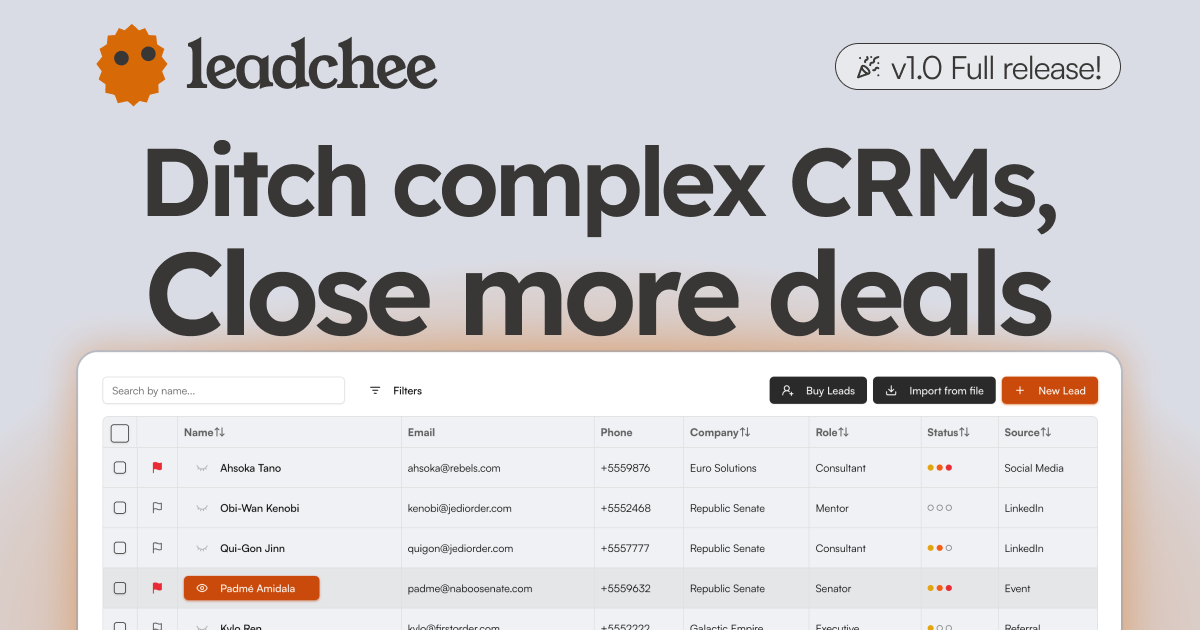
- AI-Powered Lead Scoring: Leadchee's scoring engine uses historical conversion data to rank leads, so you focus on the prospects most likely to buy. This isn't just a static score — it learns over time, improving its accuracy as your team closes more deals. For small teams, this replaces guesswork and manual weeding, meaning you can prioritize follow-ups 10x more efficiently.
- Generous Free Tier and Affordable Pricing: The freemium model lets you test the core features without a credit card, and paid plans start at $15/month. This pricing puts it within reach of startups and SMBs compared to Salesforce ($300+/user/month) or HubSpot (starting $45/month for paid tiers). Even the paid plans likely cost less than $100/month for a small team, making it a low-commitment experiment.
- Workflow Automation and Custom Templates: You can create automation rules that trigger actions — like sending a welcome email or assigning a lead to a sales rep — based on lead behavior or score changes. Custom templates for emails and outreach sequences save time on repetitive tasks, ensuring consistent follow-up. This is a practical feature for teams that lack a dedicated sales operations person.
- API Integration for Flexibility: The API allows you to connect Leadchee to your existing tech stack, whether it's a custom CRM, marketing tools, or internal dashboards. This is a significant advantage for companies that already have a martech ecosystem and need a simple lead management layer rather than a monolithic suite. With decent dev skills, you can sync data both ways.
- Contact Management and Lead Capture: The platform handles basic CRM duties — storing contacts, tracking interactions, and organizing leads into pipelines. The included web form capture makes it easy to collect leads from your site, and the automatic enrichment adds firmographic details, reducing manual entry. This integrated approach covers the essentials without requiring additional tools.
⚠ Watch out for
- No Mobile App: Leadchee does not offer a native mobile app, which severely limits on-the-go sales reps. If your team frequently updates deals or checks leads from their phones, you'll have to rely on the responsive web interface, which may not be optimized for all tasks. In 2026, a CRM without mobile access feels like a gap for field teams that need real-time updates.
- No Browser Extension: There's no browser extension for quick lead capture from websites or LinkedIn. Competitors like HubSpot and Salesforce offer such tools, which are time-savers for prospecting. Without it, you'll need to manually input or import leads, slowing down your workflow and erasing some of the automation benefit.
- Limited Integration Documentation: While Leadchee has an API, the website offers scant details on supported integrations beyond that. There's no public list of built-in connectors (e.g., Gmail, Slack, Zapier), so you may not know if it natively syncs with your existing marketing tools. This lack of transparency could lead to unexpected custom development costs.
- Unproven at Enterprise Scale: Leadchee is clearly built for SMBs. It lacks advanced features like territory management, complex forecasting, and multi-currency support that enterprises often need. While it works for small teams, scaling it to dozens of users or complex sales cycles could become a bottleneck due to its limited feature set and potential performance issues (though performance specifics are not publicly documented).
- Customer Support Availability: There's no live chat or phone support mentioned; the knowledge base and email support are the primary channels. For a platform that automates sales processes, getting prompt help when you're mid-campaign is critical. The lack of real-time support could be a deal-breaker for teams that need quick resolutions.
🎯 Best for
Small to medium-sized businesses looking for an affordable, AI-driven CRM to automate lead scoring, email marketing, and sales workflows.
🚫 Who should skip
Enterprises requiring strict data compliance (GDPR/SOC2), mobile access, or extensive pre-built integrations may find Leadchee lacking.
📚 Learning curve
Moderate - Setting up workflow automation and email marketing integrations takes some initial time, but the core interface is user-friendly.
🧑⚖️ Verdict
If you run a small B2B team that needs affordable, AI-driven lead capture and scoring without the overhead of a full CRM, Leadchee is a solid, cost-effective pick. If your team lives on mobile or requires deep native integrations with your entire stack, look elsewhere (e.g., HubSpot or Pipedrive). B
📊 Use Case Suitability
Higher score = better fit. Scores from editorial review.
🧭 Which One Should You Pick?
Choose Exie if...
- You are: Professionals and small teams who want to automate repetitive tasks across email, notes, and messaging without complex s
- 👍 Seamless integration with Gmail, Notion, and Slack, covering core productivity tools.
- 👍 Free tier available for individuals to test basic automation features.
- 👍 Mobile app enables productivity on the go for busy professionals.
- 💰 From $19/mo
- ⚠ Trade-off: Not SOC2 compliant, which may be a dealbreaker for enterprise buyers with strict
Choose Leadchee if...
- You are: Small to medium-sized businesses looking for an affordable, AI-driven CRM to automate lead scoring, email marketing, and
- 👍 Affordable pricing tiers, including a free version, making it accessible for small businesses.
- 👍 AI-powered lead scoring automates prioritization and reduces manual effort.
- 👍 Workflow automation and custom templates streamline repetitive sales tasks.
- 💰 From $15/mo
- ⚠ Trade-off: No mobile app, limiting usability for sales teams that work on the go.
❓ Frequently Asked Questions
Is there a free tier available?
Yes, Exie offers a free tier with basic automation and limited integrations, allowing up to 5 workflows.
Which apps does Exie integrate with?
Exie integrates with popular work apps like Gmail, Notion, and Slack, with more integrations available in paid plans.
Can I use Exie on my phone?
Yes, Exie has a mobile app so you can automate tasks and access AI features on the go.
Does Exie offer an API?
Yes, Exie provides an API for custom integrations and advanced automation workflows.
🔗 More AI Sales Comparisons
🔀 Explore Alternatives
📧 Save this comparison
We'll email you a link to this comparison. No spam.