Gendo vs RoomBoost AI
Side-by-side comparison — pricing, features, ratings, use cases. Find which AI Design fits you best.
💰 Pricing
🔧 Features
📋 Assessment
💪 Strengths
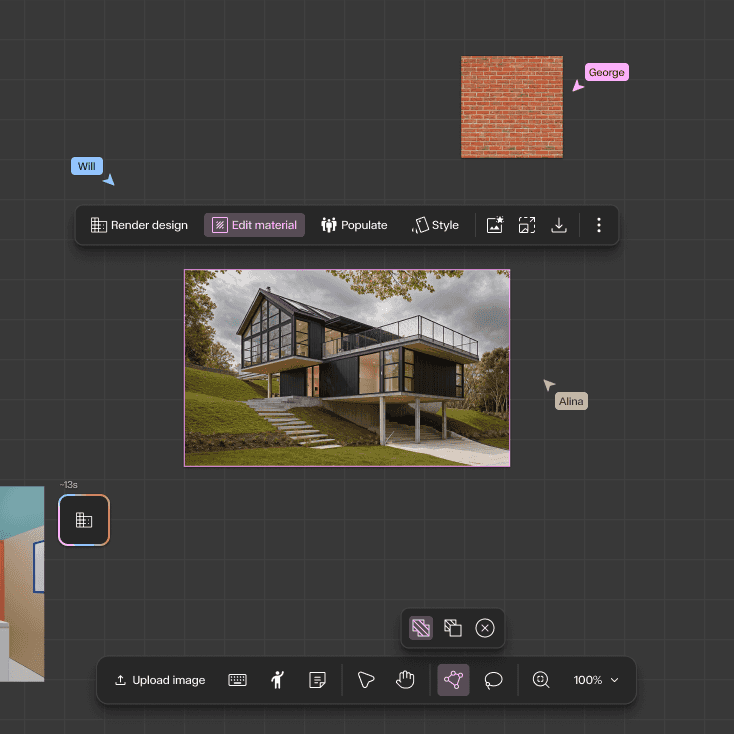
- Rapid design iteration: Gendo excels at generating multiple design variants almost instantly. Users can input a text prompt like 'modern office building with glass facade' and receive several distinct options. This accelerates the ideation phase dramatically, allowing architects to explore a wider range of concepts in a single sitting. For client presentations, this means showing diverse possibilities without spending days on manual modeling.
- Seamless export to standard tools: The ability to export generated designs to Revit, SketchUp, and Rhino formats is a game-changer for workflow integration. Instead of using AI as a standalone novelty, Gendo fits into existing architectural pipelines, allowing designers to take a generated concept and continue detailing it in their preferred software. This practical integration sets it apart from many AI image generators that output only flat images.
- Team collaboration on Professional plan: The Professional plan enables multiple users to work on the same project concurrently. This is crucial for architecture teams where several designers might need to input ideas or refine designs simultaneously. It encourages a collaborative brainstorming environment and ensures that all team members have access to the latest iterations, improving overall project coherence.
- Style transfer for existing models: Gendo's style transfer feature lets users apply different architectural styles to their existing 3D models. For example, a simple massing model can be transformed into a parametric, futuristic, or traditional design. This is a powerful tool for exploring aesthetic directions without remodeling from scratch, saving significant time during the design development phase.
- Web-based platform with no hardware demands: Since Gendo runs entirely in the cloud, users don't need a high-end GPU or specific operating system. This lowers the barrier to entry for small firms or independent architects who may not have access to powerful workstations. The accessibility means that anyone with an internet connection can start designing, making it a practical tool for freelance professionals.
⚠ Watch out for
- Starter plan limits projects to 5: For active professionals, having only 5 projects in the Starter plan is highly restrictive. Once those are filled, you cannot create new projects without deleting old ones, which is a major inconvenience. This forces users to either upgrade to a pricier plan or constantly manage their project queue, disrupting workflow. At $50/month, you'd expect more flexibility.
- No free tier or trial: There's no free trial or freemium version, which is a significant hurdle for potential adopters. In a market where many SaaS tools offer at least a 14-day free trial, Gendo's requirement for an upfront paid commitment is a tough sell. This is especially problematic for architects who are cautious about adopting new software and need to test its output quality before investing.
- Lacks API for automation and integration: The absence of an API is a major drawback for tech-savvy firms that rely on custom pipelines. Without an API, users cannot automate design generation, integrate Gendo into their existing project management tools, or build custom workflows. This limits its utility for larger organizations that value interoperability and automation.
- Output quality can be inconsistent: While Gendo generates impressive results, the output can sometimes be abstract or require significant post-editing to be practical. For instance, floor plans may lack precise dimensions and structural details, requiring manual corrections. This can be frustrating for users who need more reliable, accurate outputs, especially for preliminary design documentation.
- Limited control over detailed parameters: Users have limited control over specific design parameters such as exact dimensions, zoning constraints, or site conditions. The tool relies heavily on prompt engineering, which may not always capture nuanced requirements. This lack of fine-grained control could be a deal-breaker for architects who need to adhere to strict building codes or client specifications.
🎯 Best for
Architecture firms and individual designers who need fast, AI-driven concept generation and iteration for residential or commercial building projects.
🚫 Who should skip
Users who require extensive integrations, custom automation, or a free trial; also those needing on-the-go access via mobile devices.
📚 Learning curve
Moderate – using the AI effectively requires some experimentation with prompts and adjusting outputs, but the interface is straightforward.
🧑⚖️ Verdict
Gendo is a valuable tool for architects and designers seeking rapid conceptual exploration and iteration. Its integration with standard software and collaborative features make it a strong contender for firms embracing AI. However, the limited project count and lack of free trial or API may deter so
💰 Pricing
🔧 Features
📋 Assessment
💪 Strengths
- One of the most impressive aspects of RoomBoost is its speed. From uploading a photo to seeing a redesigned room takes only seconds, allowing users to quickly iterate on different styles and compare multiple looks. This is particularly useful when trying to decide between several renovation directions. The efficiency transforms a process that would take days with a human designer into a same-day brainstorming session.
- The user interface is exceptionally clean and intuitive. There is no extensive menu system or layer-based editing; instead, you simply upload a photo, click on a style preset, and wait a few moments for the render. This makes it accessible to anyone, regardless of technical skill or design experience. The platform also clearly indicates the progress of each render, reducing uncertainty.
- The photorealistic quality of the renders is genuinely impressive. The AI does not just apply a filter; it convincingly replaces furniture, changes wall colors, and adds decor elements that blend seamlessly with the original room's lighting and perspective. This realism is essential for helping users truly visualize a space, making it a valuable tool for real estate staging or personal renovation planning, as the images are concrete enough to share with contractors or family.
- RoomBoost offers a practical free tier with five renders per month, which is enough for casual users to test the service and get a feel for its capabilities. It doesn't require a credit card upfront, avoiding a common barrier to entry. This thoughtful approach builds trust and allows potential customers to see the quality before committing financially.
- The service is built around a simple credit system that is easy to understand. Paid plans start at $15 per month for a set number of credits, and using a credit is transparent. This straightforward model is refreshing compared to complex subscription tiers that often hide costs. For users with periodic needs, the ability to purchase credits as needed rather than being locked into a subscription is a plus.
⚠ Watch out for
- The free plan is extremely limited, offering only 5 renders per month. For anyone working on a serious project—like a full home renovation with multiple rooms—this will be exhausted in a single session. The next tier, at $15/mo, provides more credits, but the costs can accumulate quickly if you are comparing many styles or adjusting inputs. This might push some users to seek alternatives with more generous free options or flat-rate pricing.
- RoomBoost lacks a mobile app. In a world where most people take photos with their phones and expect to edit on the go, the absence of an iOS or Android app is a significant drawback. You are limited to accessing the service through a web browser, which is not always convenient if you are on a job site or visiting a property. A mobile app would greatly enhance usability.
- Export options on lower-tier plans are restricted. Specifically, the maximum resolution you can download is capped, which can be a problem if you intend to print large-format images or use them in high-quality presentations. Higher-resolution exports are only available on more expensive tiers, which is a common but frustrating way to upsell. This is a critical consideration for real estate agents who need high-quality marketing materials.
- There is no API access. For real estate agencies or design firms that might want to integrate RoomBoost into their existing software tools (like CRM or project management systems), the lack of an API is a dealbreaker. It means any automation or batch processing must be done manually through the web interface, which is inefficient at scale. Most professional tools today offer API access as a standard feature.
- The style presets, while covering popular aesthetics, are somewhat limited and not deeply customizable. You can choose from predefined styles like modern, industrial, or coastal, but you cannot easily specify details like particular furniture brands, exact color palettes, or room-specific features beyond broad categories. For users with a very specific vision, the AI may not deliver the desired outcome, requiring them to try multiple presets or rely on luck.
🎯 Best for
Homeowners, real estate agents, and DIY enthusiasts who want a quick, visual way to explore new interior design ideas without hiring a professional.
🚫 Who should skip
Professional interior designers or architects who require precise control over materials, lighting, and furniture specifications, or those needing collaboration and client presentation features.
📚 Learning curve
Minimal – the interface is straightforward: upload a photo, choose a style, and get results instantly.
🧑⚖️ Verdict
RoomBoost is an excellent tool for homeowners, renters, and real estate agents who want to quickly visualize design changes without professional help. Its speed, realism, and ease of use make it a strong choice for exploratory design and staging previews. However, if you require high-resolution expo
📊 Use Case Suitability
Higher score = better fit. Scores from editorial review.
🧭 Which One Should You Pick?
Choose Gendo if...
- You are: Architecture firms and individual designers who need fast, AI-driven concept generation and iteration for residential or
- 👍 Generates multiple design variants quickly, accelerating the ideation phase.
- 👍 Export formats allow easy integration into standard architectural workflows.
- 👍 Team collaboration in the Professional plan enables concurrent work on projects.
- 💰 From $50/mo
- ⚠ Trade-off: Starter plan is limited to only 5 projects, which may be restrictive for active
Choose RoomBoost AI if...
- You are: Homeowners, real estate agents, and DIY enthusiasts who want a quick, visual way to explore new interior design ideas wi
- 👍 Extremely fast: generates styled room renders in seconds from a single photo.
- 👍 Low barrier to entry: free tier allows up to 5 renders per month with no credit card required.
- 👍 User-friendly interface: no design skills needed; just upload a photo and choose a style.
- 💰 From $15/mo
- ⚠ Trade-off: Free plan is very limited with only 5 renders per month, which may not be enough
❓ Frequently Asked Questions
What are the main differences between the Starter and Professional plans?
The Starter plan costs $50 per month and includes access to the AI model and export formats, but limits you to 5 projects. The Professional plan at $150 per month adds team collaboration and removes project limits, allowing unlimited projects.
Does Gendo offer a free trial or any free tier?
No, Gendo does not offer a free tier or free trial. You must choose a paid plan to access the tool.
Are there any hidden costs like usage-based fees?
No usage-based fees are mentioned; the pricing is fixed monthly. However, the Starter plan's 5-project limit may require upgrading to Professional if you need more projects.
🔗 More AI Design Comparisons
🔀 Explore Alternatives
📧 Save this comparison
We'll email you a link to this comparison. No spam.