Ludwig vs SimpleLocalize
Side-by-side comparison — pricing, features, ratings, use cases. Find which AI Writing Tools fits you best.
💰 Pricing
🔧 Features
📋 Assessment
💪 Strengths
- Ludwig's core strength lies in its ability to provide contextual examples from high-quality sources. When you search for a phrase, it pulls real-world usage from reputable publications like The New York Times, The Economist, and academic journals. This is incredibly useful for understanding nuance and idiomatic usage that dictionary definitions often miss. For instance, if you're unsure whether to use 'in the internet' or 'on the internet,' Ludwig shows you countless examples from authoritative sources, making it easy to see the correct pattern.
- The browser extension is a boon for productivity. It works seamlessly across all web applications, including Gmail, Google Docs, and LinkedIn. You can highlight a sentence in your email, click the Ludwig icon, and instantly get confirmation or suggestions without leaving the page. This frictionless integration saves time and encourages users to check their writing as they go, rather than in a separate tab.
- The sentence comparison feature is unique and highly effective. You can enter two similar sentences, and Ludwig will show you which one is more commonly used and thus more likely to be correct. This is particularly helpful for non-native speakers who are stuck between two similar phrasings. The tool also suggests improvements, such as more natural synonyms or phrasing, which helps users learn and grow as writers.
- Ludwig gamifies language learning with a 'Ludwig score' that rates the correctness of your sentence. This gamification element makes the tool engaging and provides quick, quantitative feedback. You can track your improvement over time, which is motivating for students and professionals who are committed to enhancing their English proficiency.
⚠ Watch out for
- Ludwig is not an AI content generator. If you're expecting to type a topic and get a full article, you'll be disappointed. You must already have a draft or at least a sentence to work with. This limits its usefulness for writers who need help with brainstorming or overcoming writer's block.
- The free plan is quite restrictive, allowing only 8 searches per day. For heavy users, this can be quickly exhausted, especially if you're researching multiple sentence patterns in a single session. While the paid plans remove this cap, the pricing may not be justifiable for casual users.
- There are no collaboration features, version history, or API access. This makes Ludwig impractical for teams working on shared documents. Editors cannot leave comments, and there's no way to track changes or revert to previous versions. For professional workflows that require these capabilities, Ludwig falls short.
- The corpus, while vast, is primarily drawn from journalism and academic writing. It may not reflect informal language, slang, or industry-specific jargon. This could be a limitation for marketing copywriters or creative writers who need to match a more casual or branded tone.
🎯 Best for
Non-native English speakers and professionals who need to verify and improve the naturalness of their sentences using real-world examples.
🚫 Who should skip
Users who need a full AI writing generator, plagiarism checker, or advanced collaborative writing tools should look elsewhere.
📚 Learning curve
Minimal – the interface is a simple search bar; users just type a sentence and get results instantly.
🧑⚖️ Verdict
Ludwig is a must-have for non-native English speakers and anyone who wants to perfect their sentence-level writing. It excels at providing real-world context that no other tool offers. However, if you need AI content generation, team collaboration, or unlimited free use, you should look elsewhere. I
💰 Pricing
🔧 Features
📋 Assessment
💪 Strengths
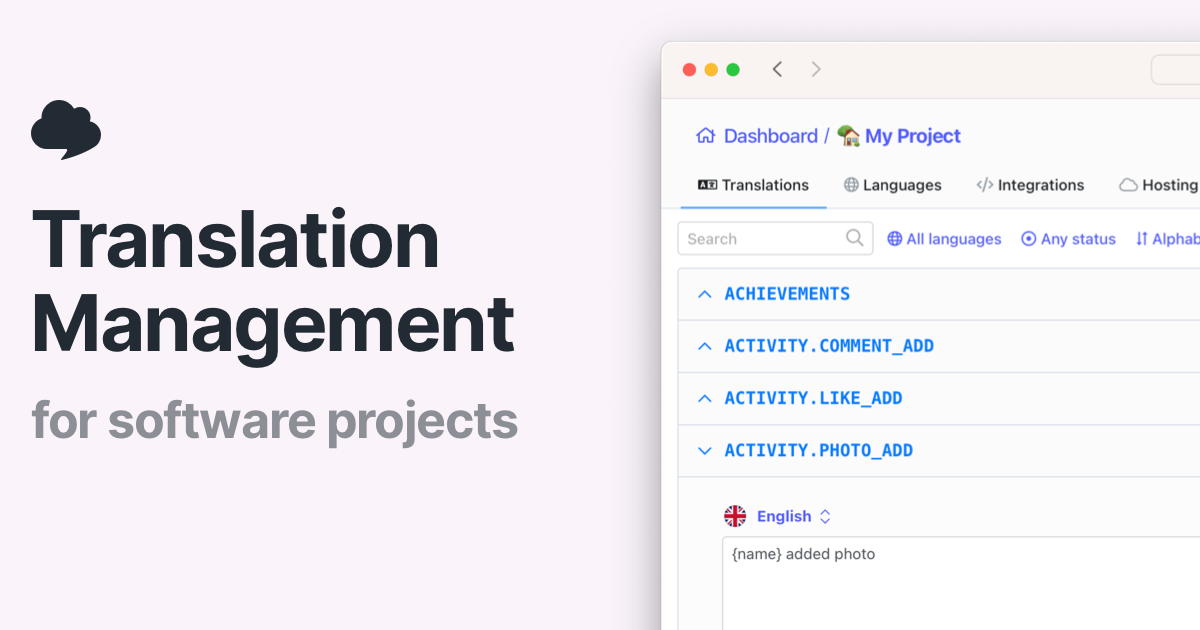
- Completely free automatic translations: This is a massive advantage. You can translate an unlimited number of keys and phrases without paying a cent. For indie developers or small startups, this eliminates the cost barrier to localization. You get AI-powered translations that are surprisingly accurate for common phrases, and you can run them as often as needed.
- Native Git integrations with GitHub, GitLab, and Bitbucket: SimpleLocalize hooks directly into your version control system. You can connect a repository, and it will automatically detect changes to locale files, translate new keys, and even create pull requests with the updates. This automation saves hours of manual copy-pasting and keeps your translations in sync with your codebase.
- Support for 100+ languages and document translation: It’s not just for key-value pairs. SimpleLocalize can translate full JSON or YAML files and even larger documents. This is useful for marketing copy, help docs, or any text you need to localize. The breadth of language coverage makes it easy to target diverse markets.
- Simple setup: You don’t need a credit card or a complex configuration. Sign up, connect a repository, and you’re translating within minutes. The interface is clean and focuses on the task at hand, which is perfect for developers who want to get back to coding.
- Automated workflow with pull request integration: The ability to have translations automatically submitted as a pull request means you can review and merge changes directly in your existing code review process. This keeps a clear audit trail and prevents merge conflicts.
⚠ Watch out for
- No team collaboration features: SimpleLocalize in its free tier does not offer shared workspaces, user roles, or permission controls. If you have multiple people involved in translation — say, a developer and a native-speaking reviewer — you can’t manage them within the platform. You’ll have to export/import files through Git, which can get messy.
- Lack of brand voice and tone customization: The AI translations are generic. There’s no way to train the system on your brand’s vocabulary, style, or preferred phrasing. This could result in translations that feel robotic or inconsistent with your brand identity. For marketing copy with a specific tone, this is a significant drawback.
- Limited export formats and no in-context editor: You can import and export common formats like JSON, YAML, and CSV, but you won’t find support for more specialized formats like XLIFF or Android string resources. More importantly, there’s no in-context editor that lets you see translations within the actual UI, which makes it harder to spot issues like text expansion or context-dependent mistranslations.
- Translation memory is not available: Professional translation tools use translation memory to store approved translations and reuse them, ensuring consistency and reducing cost. SimpleLocalize’s auto-translation does not offer this, so you might get inconsistent translations for the same term across different parts of your app.
- Reliance on AI accuracy: While AI translation has improved, it’s not perfect. For languages with complex grammar or cultural nuances, the output might be awkward or even wrong. Without human review mechanisms built in, you risk shipping poor translations.
🎯 Best for
Developers and solo localization managers who need fast, automated translations for software projects without upfront cost.
🚫 Who should skip
Teams requiring collaborative translation workflows, quality assurance, or human-review capabilities should look elsewhere.
📚 Learning curve
Minimal — the tool is designed for developers with clear API docs and easy integration points, requiring basic familiarity with version control and key-based translation files.
🧑⚖️ Verdict
SimpleLocalize’s Auto Translation is a solid choice for individual developers and small teams who need fast, free translations and are comfortable with Git-driven workflows. It falls short for orgs that require collaboration, brand consistency, or advanced export options. Bottom line: a great free t
📊 Use Case Suitability
Higher score = better fit. Scores from editorial review.
🧭 Which One Should You Pick?
Choose Ludwig if...
- You are: Non-native English speakers and professionals who need to verify and improve the naturalness of their sentences using re
- 👍 Provides contextual examples from reputable publications, newspapers, and academic sources to show h
- 👍 Helps non-native speakers write more naturally by suggesting alternatives and verifying correctness.
- 👍 Lightweight browser extension allows quick access to search while working in any web application.
- 💰 From $9/mo
- ⚠ Trade-off: No AI content generation capabilities – you must already have a draft or sentenc
Choose SimpleLocalize if...
- You are: Developers and solo localization managers who need fast, automated translations for software projects without upfront co
- 👍 Completely free for automatic translations, making it accessible for individual developers and small
- 👍 Native integrations with popular developer tools like GitHub, GitLab, and Bitbucket for seamless wor
- 👍 Supports over 100 languages with AI-powered translation that can handle both phrases and documents.
- 💰 Free tier available
- ⚠ Trade-off: Lacks team collaboration features such as shared workspaces, role management, or
❓ Frequently Asked Questions
How is Ludwig different from Grammarly?
Ludwig is a linguistic search engine that provides contextual examples from reliable sources to help you verify and improve sentences, rather than just a grammar checker. Grammarly focuses on real-time grammar correction and style suggestions, while Ludwig is more about finding the right phrasing through real-world usage.
Does Ludwig support multiple languages?
Yes, the Pro plan supports additional languages beyond English, but the free tier is limited to English only. The exact languages supported are not specified, but it's a Pro feature.
What is the search limit on the free plan?
The free plan has limited searches per day, but the exact number is not publicly stated. It's enough for occasional use, but heavy users will need the Pro plan for unlimited searches.
Can I use Ludwig in my browser?
Yes, Ludwig offers a browser extension that works on both free and Pro plans, making it easy to check sentences while browsing.
🔗 More AI Writing Tools Comparisons
🔀 Explore Alternatives
📧 Save this comparison
We'll email you a link to this comparison. No spam.