Fulgent AI | AI Headshots vs InvokeAI
Side-by-side comparison — pricing, features, ratings, use cases. Find which AI Image Generation fits you best.
💰 Pricing
🔧 Features
📋 Assessment
💪 Strengths
- Cost-effectiveness: Fulgent AI is entirely free, with no hidden fees, watermark, or subscription requirement. This makes it accessible to anyone, from cash-strapped students to freelancers, who need professional headshots without a financial investment. The value proposition is unmatched in a market where competitors charge $15-$40 per session.
- Image quality: The AI produces over 100 high-resolution, realistic headshots from a simple selfie upload. The output showcases natural lighting, proper focus, and diverse poses, with styles that effectively mimic professional studio photography. This is a significant upgrade from the stiff or uncanny results often seen in other free tools.
- Style selection: With more than 100 preset styles tailored to different professions and use cases, users can tailor the AI output to match their industry—from law firm professional to tech startup casual. This breadth gives users control over their personal branding, a feature that many paid tools limit to 20-30 options.
- Speed and simplicity: The process is remarkably fast; users can receive their generated headshots in under an hour. The interface is minimal and intuitive, requiring no design or photo-editing skills. The three-step flow—upload, select styles, receive images—makes it accessible to even the least tech-savvy users.
⚠ Watch out for
- Limited scope: The service is exclusively for headshot generation. It cannot create full-body images, portraits, landscapes, or any other type of artwork, which severely limits its utility for content creators, game developers, or marketers looking for versatile AI image generation.
- No API or enterprise features: Fulgent AI lacks an API, making it impossible to automate headshot generation for large teams or integrate into existing HR or HRMS workflows. There are also no team collaboration tools, role-based access controls, or usage analytics, rendering it unsuitable for corporate deployments.
- Accessibility constraints: The platform is web-based only, with no native mobile app or browser extension. This means users must have a desktop or laptop with an internet browser to use the service, which is an inconvenience for those who prefer mobile-first workflows or need on-the-go editing.
- Customer support and privacy: Support is limited to email and a basic FAQ, with slow response times reported. Additionally, the privacy policy requires users to consent to data use for service improvement, which may raise concerns for those handling sensitive images or working in regulated industries like healthcare or finance.
🎯 Best for
Individuals who need a quick, free, and realistic professional headshot for LinkedIn, resumes, or personal branding without a traditional photoshoot.
🚫 Who should skip
Users who require full-body images, commercial licensing, batch processing for teams, or advanced image generation capabilities should look elsewhere.
📚 Learning curve
Minimal – simply upload selfies, select styles, and download results. No technical skills required.
🧑⚖️ Verdict
Fulgent AI is the ideal choice for individuals and small teams seeking high-quality, professional headshots without spending a dime. Its limited scope and lack of enterprise features mean it's not suited for studios, large corporations, or users needing broader image generation capabilities. For a f
💰 Pricing
🔧 Features
📋 Assessment
💪 Strengths
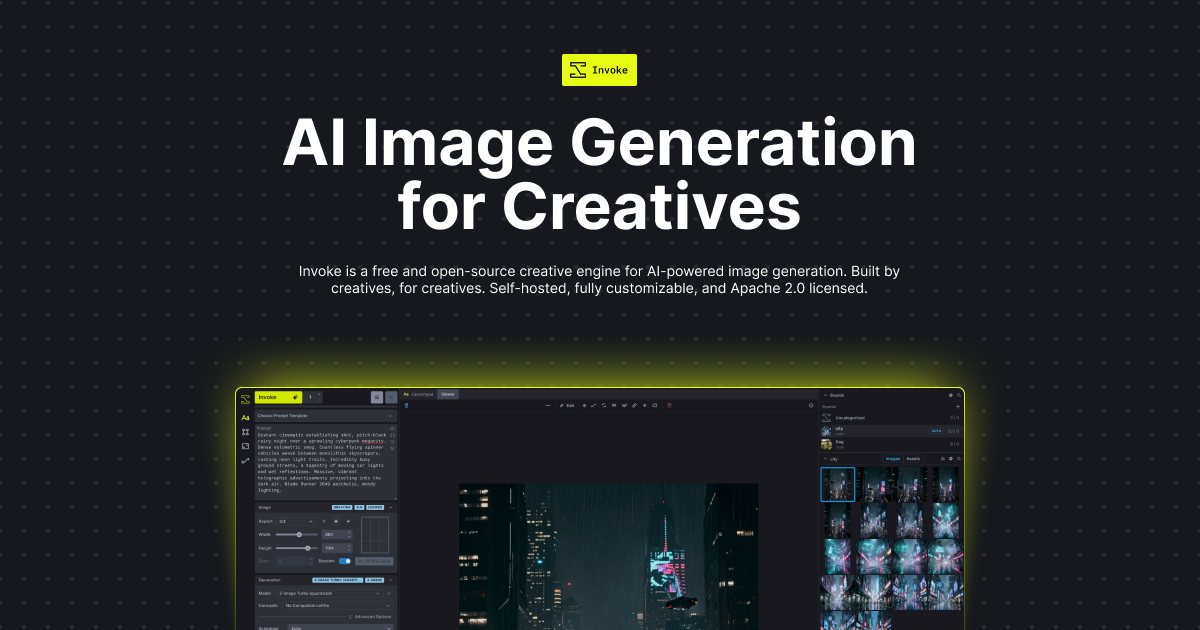
- The unified canvas is a game-changing feature that sets InvokeAI apart. Instead of juggling separate tabs for generation, inpainting, and upscaling, you can manipulate a virtual canvas — layering images, drawing masks, and iterating on sections seamlessly. This makes complex edits, like fixing a hand or changing a background, intuitive and efficient. It's a level of control that cloud tools lack.
- Full offline operation is a massive privacy and security win. Since everything runs on your local GPU, there's no risk of your prompts or generated images being stored on a server. This is crucial for professionals working on confidential projects, like a design firm prototyping for a client under NDA. No data ever leaves your machine.
- The depth of customization is unmatched. You can integrate ControlNet for pose/structure control, train and apply LoRA models for consistent styles, and use the model manager to install a wide array of Stable Diffusion checkpoints. This means you're not locked into one style — you can craft a workflow that produces exactly the aesthetic you need.
- The inpainting and outpainting tools are particularly robust. You can select a specific region of an image, mask it, and regenerate only that area with a new prompt, or extend the canvas outward for a larger composition. The results are seamlessly blended, and the ability to do this non-destructively on a canvas layer is a pro-level feature.
- Being open-source, InvokeAI benefits from continuous community-driven development. New features, model support, and performance improvements are added regularly. Since it's free, there's no cost to staying current, and you can even contribute to the codebase if you're so inclined.
⚠ Watch out for
- Hardware requirements are steep. InvokeAI runs on a local GPU, and to get usable speeds you'll need an NVIDIA card with at least 8GB of VRAM. Integrated graphics are a non-starter. This automatically excludes a huge portion of hobbyists and students who don't have a dedicated gaming PC. The software simply won't deliver a good experience on a typical laptop.
- The installation and setup process is definitely a hurdle. While InvokeAI provides installers, you still need to manage Python environments, install CUDA, and troubleshoot missing dependencies. There's no cloud-based trial to 'try before you buy,' so you have to commit to the setup before you even see if it runs. This is a significant barrier for non-technical users.
- The interface, especially the node-based canvas, has a steep learning curve. Even with the simplified 'unified canvas,' you have to understand concepts like layers, masks, and node graphs. A complete beginner could spend hours just learning how to perform a basic edit. It's powerful, but far from intuitive compared to drag-and-drop tools.
- There is no web interface, mobile app, or API. So if you want to generate images on the go, you're out of luck. The lack of an API is a major drawback for developers who might want to integrate AI image generation into their apps, and the absence of any cloud option means you must be at your local machine to use it.
- Customer support is community-based. There's no formal support team, so you rely on Discord channels and GitHub issues. While the community is generally helpful, you can't expect a guaranteed response time. If you get stuck, you're on your own to search for solutions or wait for a community member to respond.
🎯 Best for
Artists, designers, and AI enthusiasts who want full control over Stable Diffusion generation locally, value privacy, and are comfortable with a moderately technical setup.
🚫 Who should skip
Users who prefer a simple, web-based image generator with no installation required, or those without a dedicated GPU capable of running Stable Diffusion models.
📚 Learning curve
Steep — while basic text-to-image is straightforward, mastering the node-based interface, advanced features like ControlNet, and model management takes significant time and experimentation.
🧑⚖️ Verdict
Buy InvokeAI if you're a serious artist, indie developer, or designer with a capable NVIDIA GPU who values privacy, customization, and no per-usage costs. Look elsewhere if you lack technical patience or a GPU — a cloud service will be far smoother. For those it fits, it's the best open-source image
📊 Use Case Suitability
Higher score = better fit. Scores from editorial review.
🧭 Which One Should You Pick?
Choose Fulgent AI | AI Headshots if...
- You are: Individuals who need a quick, free, and realistic professional headshot for LinkedIn, resumes, or personal branding with
- 👍 Completely free with no hidden costs, making it accessible for anyone needing professional headshots
- 👍 Generates over 100 high-quality, realistic headshots from a simple selfie upload, saving time and mo
- 👍 Offers multiple preset styles tailored for LinkedIn, resumes, and personal branding.
- 💰 Free tier available
- ⚠ Trade-off: Limited to headshot generation only; cannot create full-body images, landscapes,
Choose InvokeAI if...
- You are: Artists, designers, and AI enthusiasts who want full control over Stable Diffusion generation locally, value privacy, an
- 👍 Completely free and open-source with no usage caps or watermarks.
- 👍 Runs entirely offline on your own hardware, ensuring full privacy and data security.
- 👍 Extensive feature set including a node-based canvas, ControlNet, LoRA, inpainting, outpainting, and
- 💰 Free tier available
- ⚠ Trade-off: Requires a powerful GPU (NVIDIA recommended) and technical setup; not suitable f
❓ Frequently Asked Questions
Is Fulgent AI completely free to use?
Yes, based on the pricing listed, Fulgent AI is free. There are no hidden charges for generating headshots.
How many headshots can I generate with one set of selfies?
You can receive over 100 high-quality, realistic headshots from a single upload of your selfies.
What styles of headshots are available?
Fulgent offers a variety of styles suitable for LinkedIn, resumes, and personal branding. You can choose from professional, casual, and other preset looks.
Do I need to upload multiple selfies or just one?
You typically upload several selfies to give the AI enough reference images to generate diverse and accurate headshots.
🔗 More AI Image Generation Comparisons
🔀 Explore Alternatives
📧 Save this comparison
We'll email you a link to this comparison. No spam.