Leadchee vs Prosp
Side-by-side comparison — pricing, features, ratings, use cases. Find which AI Sales fits you best.
💰 Pricing
🔧 Features
📋 Assessment
💪 Strengths
- AI-Powered Lead Scoring: Leadchee's scoring engine uses historical conversion data to rank leads, so you focus on the prospects most likely to buy. This isn't just a static score — it learns over time, improving its accuracy as your team closes more deals. For small teams, this replaces guesswork and manual weeding, meaning you can prioritize follow-ups 10x more efficiently.
- Generous Free Tier and Affordable Pricing: The freemium model lets you test the core features without a credit card, and paid plans start at $15/month. This pricing puts it within reach of startups and SMBs compared to Salesforce ($300+/user/month) or HubSpot (starting $45/month for paid tiers). Even the paid plans likely cost less than $100/month for a small team, making it a low-commitment experiment.
- Workflow Automation and Custom Templates: You can create automation rules that trigger actions — like sending a welcome email or assigning a lead to a sales rep — based on lead behavior or score changes. Custom templates for emails and outreach sequences save time on repetitive tasks, ensuring consistent follow-up. This is a practical feature for teams that lack a dedicated sales operations person.
- API Integration for Flexibility: The API allows you to connect Leadchee to your existing tech stack, whether it's a custom CRM, marketing tools, or internal dashboards. This is a significant advantage for companies that already have a martech ecosystem and need a simple lead management layer rather than a monolithic suite. With decent dev skills, you can sync data both ways.
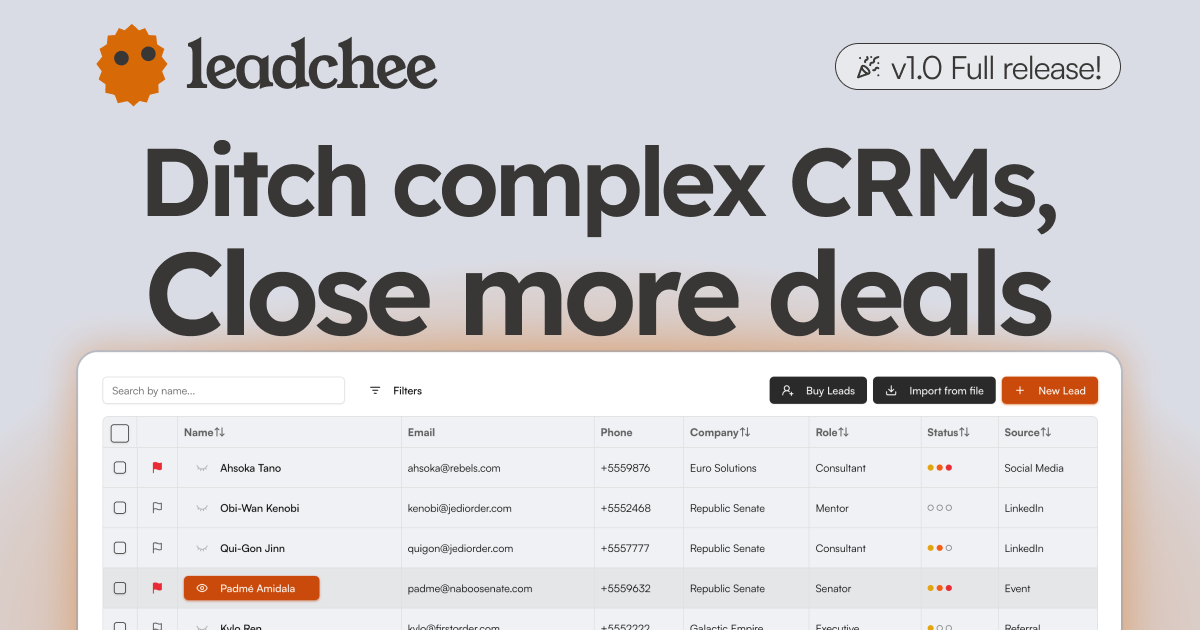
- Contact Management and Lead Capture: The platform handles basic CRM duties — storing contacts, tracking interactions, and organizing leads into pipelines. The included web form capture makes it easy to collect leads from your site, and the automatic enrichment adds firmographic details, reducing manual entry. This integrated approach covers the essentials without requiring additional tools.
⚠ Watch out for
- No Mobile App: Leadchee does not offer a native mobile app, which severely limits on-the-go sales reps. If your team frequently updates deals or checks leads from their phones, you'll have to rely on the responsive web interface, which may not be optimized for all tasks. In 2026, a CRM without mobile access feels like a gap for field teams that need real-time updates.
- No Browser Extension: There's no browser extension for quick lead capture from websites or LinkedIn. Competitors like HubSpot and Salesforce offer such tools, which are time-savers for prospecting. Without it, you'll need to manually input or import leads, slowing down your workflow and erasing some of the automation benefit.
- Limited Integration Documentation: While Leadchee has an API, the website offers scant details on supported integrations beyond that. There's no public list of built-in connectors (e.g., Gmail, Slack, Zapier), so you may not know if it natively syncs with your existing marketing tools. This lack of transparency could lead to unexpected custom development costs.
- Unproven at Enterprise Scale: Leadchee is clearly built for SMBs. It lacks advanced features like territory management, complex forecasting, and multi-currency support that enterprises often need. While it works for small teams, scaling it to dozens of users or complex sales cycles could become a bottleneck due to its limited feature set and potential performance issues (though performance specifics are not publicly documented).
- Customer Support Availability: There's no live chat or phone support mentioned; the knowledge base and email support are the primary channels. For a platform that automates sales processes, getting prompt help when you're mid-campaign is critical. The lack of real-time support could be a deal-breaker for teams that need quick resolutions.
🎯 Best for
Small to medium-sized businesses looking for an affordable, AI-driven CRM to automate lead scoring, email marketing, and sales workflows.
🚫 Who should skip
Enterprises requiring strict data compliance (GDPR/SOC2), mobile access, or extensive pre-built integrations may find Leadchee lacking.
📚 Learning curve
Moderate - Setting up workflow automation and email marketing integrations takes some initial time, but the core interface is user-friendly.
🧑⚖️ Verdict
If you run a small B2B team that needs affordable, AI-driven lead capture and scoring without the overhead of a full CRM, Leadchee is a solid, cost-effective pick. If your team lives on mobile or requires deep native integrations with your entire stack, look elsewhere (e.g., HubSpot or Pipedrive). B
💰 Pricing
🔧 Features
📋 Assessment
💪 Strengths
- Prosp Prosp's AI personalization is its core strength. It uses AI to analyze each prospect's profile and craft unique email and LinkedIn messages, moving beyond template-based outreach. This feature matters because personalized messages are more likely to get replies than generic cold outreach, potentially increasing your response rates significantly. For example, instead of a standard 'Hi [First Name],' the AI might reference a recent post the prospect shared, making the outreach feel genuine and thoughtful.
- The platform is exclusively focused on outreach automation, which is a double-edged sword but a plus for its target users. By concentrating only on email and LinkedIn sequences, Prosp Prosp avoids the bloat and complexity of full-suite sales tools. You won't have to navigate modules for analytics, call recording, or deal tracking. For a solo professional who just wants to send personalized messages at scale, this single-purpose design means a simpler user experience and a shorter learning curve. You can set up a campaign and let the AI handle the heavy lifting of message crafting.
- Prosp Prosp is a standalone tool, requiring no integrations to get started. In today's integration-heavy world, where tools often demand connections to CRMs, email clients, and other systems, a standalone platform is refreshingly simple. You can start using it immediately without worrying about API keys or data syncing. This reduces setup time and eliminates the risk of integration errors. For freelancers and consultants who may not have a technical team, this ease of adoption is a meaningful advantage.
⚠ Watch out for
- The most glaring limitation is the lack of API, integrations, and team collaboration features. Prosp Prosp does not offer an API, so you cannot connect it to your CRM, marketing automation, or other tools in your tech stack. There's also no way for multiple users to work in the same account. This severely limits scalability and workflow efficiency. For example, if you're using HubSpot for lead management, you can't automatically push leads from Prosp Prosp into your CRM, forcing manual data entry. Similarly, a sales team cannot collaborate on campaigns or share templates, making it unsuitable for growing businesses.
- Essential features like an analytics dashboard, export options, and compliance certifications are missing. Without an analytics dashboard, you cannot track metrics like open rates, reply rates, or campaign performance, making it impossible to measure ROI. The absence of export options means you can't easily extract your data for reporting or migration. Moreover, the lack of compliance certifications (like GDPR or CCPA) is a red flag for companies that handle sensitive prospect data. In a landscape where data privacy is paramount, this omission is significant and could disqualify the tool for many organizations.
- The pricing structure is unknown, with no public pricing page or free tier. Prosp Prosp does not disclose its pricing on its website, requiring potential users to contact sales. This opacity is problematic because it makes it difficult to compare costs with competitors. Additionally, without a free tier or trial, you cannot test the tool's effectiveness before committing financially. Given the limited feature set, the cost could be high relative to what you get, especially when compared to other AI outreach tools that offer more robust features at transparent price points.
🎯 Best for
Prosp.ai is best for solo sales professionals or small business owners who want a simple, AI-driven tool to automate personalized email and LinkedIn outreach without needing integrations or team features.
🚫 Who should skip
Companies with large sales teams, enterprises requiring CRM integrations, or users needing robust analytics and compliance certifications should skip Prosp.ai.
📚 Learning curve
Moderate – basic campaign setup is easy, but mastering AI personalization and optimizing messages takes time and trial.
🧑⚖️ Verdict
Prosp Prosp is a solid choice for solo sales professionals and freelancers who want a no-frills, AI-driven outreach tool for email and LinkedIn. However, if you need scalability, integrations, analytics, or transparent pricing, you should look elsewhere. The bottom line: it's a simple, potentially e
📊 Use Case Suitability
Higher score = better fit. Scores from editorial review.
🧭 Which One Should You Pick?
Choose Leadchee if...
- You are: Small to medium-sized businesses looking for an affordable, AI-driven CRM to automate lead scoring, email marketing, and
- 👍 Affordable pricing tiers, including a free version, making it accessible for small businesses.
- 👍 AI-powered lead scoring automates prioritization and reduces manual effort.
- 👍 Workflow automation and custom templates streamline repetitive sales tasks.
- 💰 From $15/mo
- ⚠ Trade-off: No mobile app, limiting usability for sales teams that work on the go.
Choose Prosp if...
- You are: Prosp.ai is best for solo sales professionals or small business owners who want a simple, AI-driven tool to automate per
- 👍 AI-powered personalization for both email and LinkedIn messages, potentially increasing reply rates.
- 👍 Focused exclusively on outreach automation, reducing complexity for users who only need that feature
- 👍 No integration overhead – works as a standalone tool for independent sales professionals.
- 💰 From $99/mo
- ⚠ Trade-off: No API, integrations, or team collaboration, severely limiting scalability and w
❓ Frequently Asked Questions
Is there a free version of Leadchee?
Yes, Leadchee offers a free tier with limited contacts and basic features, including an analytics dashboard. It's a good way to test the tool before upgrading.
What are the pricing tiers and contact limits?
Leadchee has four tiers: Free (limited contacts), Starter at $15/month for 500 contacts, Pro at $49/month for 2000 contacts, and Enterprise at $199/month for unlimited contacts. Each tier includes additional features like workflow automation and API access.
Does Leadchee integrate with other tools?
Leadchee supports integrations, but specific integrations are not detailed. The API is available for custom integrations, especially on the Enterprise plan.
Is Leadchee GDPR or SOC 2 compliant?
Based on available information, Leadchee does not currently advertise GDPR or SOC 2 compliance. This may be a limitation for organizations with strict data security requirements.
🔗 More AI Sales Comparisons
🔀 Explore Alternatives
📧 Save this comparison
We'll email you a link to this comparison. No spam.